
5.2 — In-app UI preview (Sandpack)
On this page
5.2 — In-app UI preview (Sandpack)
VibeMap can render a live, interactive preview of any page in your spec — directly in the browser, in a Sandpack sandbox. This is a preview, not a production build: it's there so you can see what a page might look like before your AI coding agent implements it for real in your codebase.
For the actual production code, your AI coding agent (Cursor, Claude Code, Windsurf, etc.) reads the spec via the MCP server and implements it in your repo, following your own conventions.
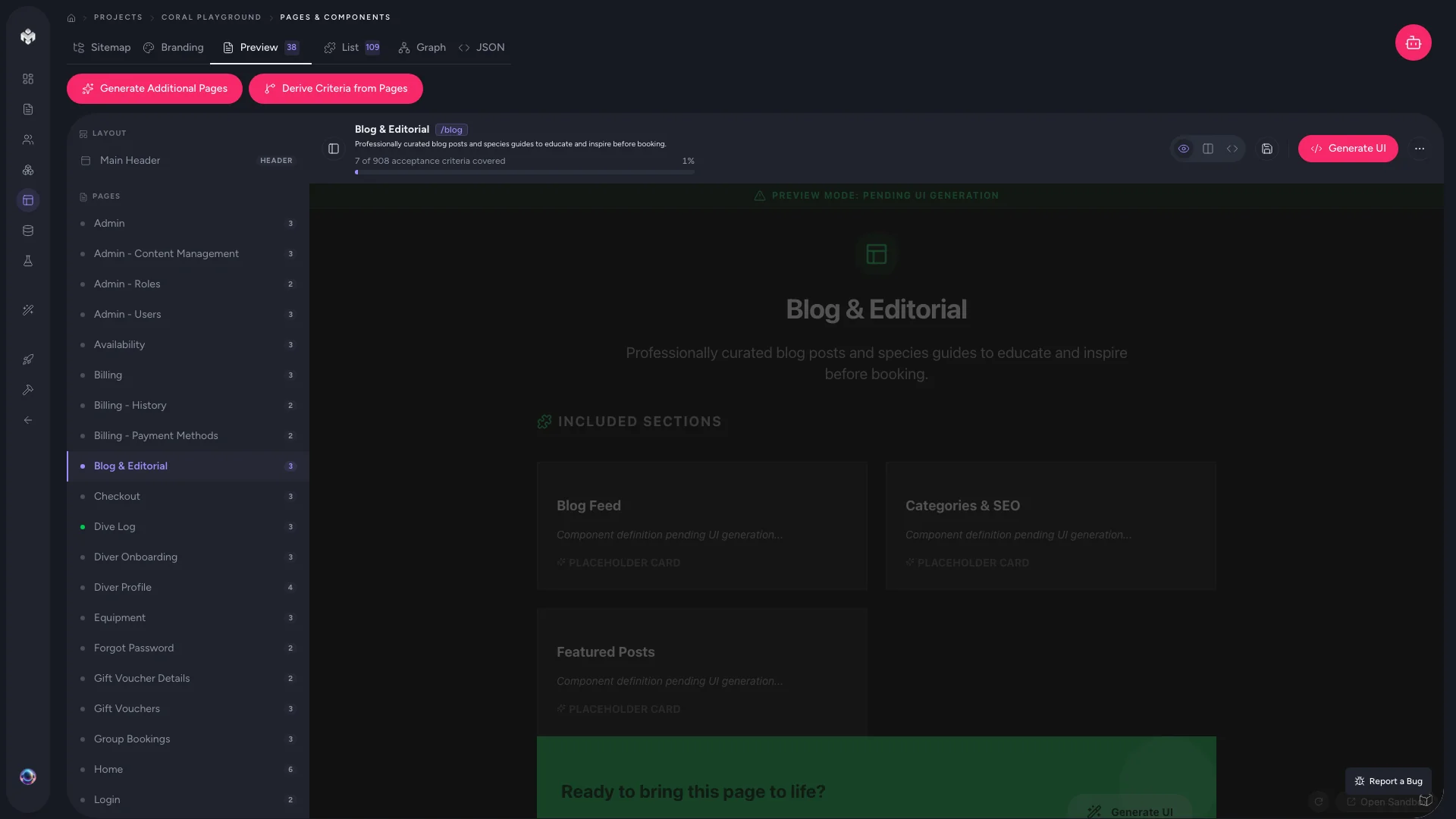
What the preview shows
For each page or section, the preview renders:
- A layout of the sections defined in your spec
- Mock data so the page doesn't look empty
- Interactive states — hover, loading, empty, validation errors — where the spec calls for them
- A mobile / tablet / desktop breakpoint switch in the sandbox toolbar
The preview is good enough to validate the shape of a page (right sections in the right order, right call-to-actions, sensible empty states). It is not intended to be copied into your production codebase.
How to open a preview
- Open the Pages tab in your project.
- Select a page (or an individual section) from the list.
- Click Generate Preview.
- The Sandpack panel appears below with the live preview.
The first preview for a page takes a few seconds. Subsequent reloads are near-instant.
Why this isn't your production code
It's tempting to copy code out of the preview. We recommend against it for three reasons:
- It doesn't match your stack. The preview uses a fixed component set inside Sandpack. Your real project probably uses different patterns, design tokens, and conventions.
- It doesn't know your data layer. The preview's "mock data" is invented. Your production code will hit real APIs and your real schema.
- The MCP handoff is better. Your IDE agent reads the page spec directly, makes implementation decisions for your codebase, and submits work for review. That feedback loop gets better with use; pasting preview code doesn't.
For the production-code workflow → Handoff to your AI agent.
Tips
- Use it as a design checkpoint, not a code source. Walk a teammate through the preview before approving the page; it's faster than reading the spec out loud.
- Regenerate after editing the spec. Changes to sections or page metadata aren't picked up by an open preview — refresh or regenerate to see updates.
- Don't sweat fine-grained styling. The preview's job is structural, not pixel-perfect. Your agent will handle styling in your real codebase.
Next steps
- Review the database schema the pages reference.
- Hand off to your AI agent → Handoff to your AI agent
- Reference the deeper IDE-agent flow in the developer docs → MCP server, Kanban tracker.