
4.2-user-stories
On this page
User Stories
User stories describe product requirements from the perspective of your users. They follow the standard format: As a [persona], I want to [action], so that [benefit]. Each story connects a specific feature to a specific user need, ensuring every piece of functionality has a clear purpose.
What User Stories Are
A user story is a short, plain-language description of a requirement written from the user's point of view. Unlike technical specifications, user stories focus on what the user needs and why -- not how it will be built.
The three parts of a user story:
| Part | Purpose | Example |
|---|---|---|
| As a [persona] | Who needs this? | "As a dive shop owner" |
| I want to [action] | What do they need to do? | "I want to view all upcoming bookings" |
| So that [benefit] | Why does it matter? | "so that I can plan staffing and equipment" |
This format keeps requirements grounded in real user value and prevents features from being built without a clear reason.
How User Stories Are Generated
User stories are generated automatically as part of the feature generation process. The AI creates stories by combining:
- Your personas -- each story is written from the perspective of a specific persona
- Your features -- each story maps to a specific feature it fulfills
- Your project context -- goals, constraints, and domain knowledge from your summary
Each feature typically receives 2-5 user stories, depending on its complexity and the number of personas it serves.
How Stories Link to Personas and Features
Every user story has two key relationships:
- Persona link -- the "As a" field references one of your defined personas. This ensures stories are written for real user types, not generic "users."
- Feature link -- each story belongs to a parent feature. This creates a clear hierarchy: features contain stories, and stories contain acceptance criteria.
These links mean that if you update a persona's goals or delete a feature, the associated stories reflect those changes.
Viewing User Stories
User stories are accessible through two views in the Features tab.
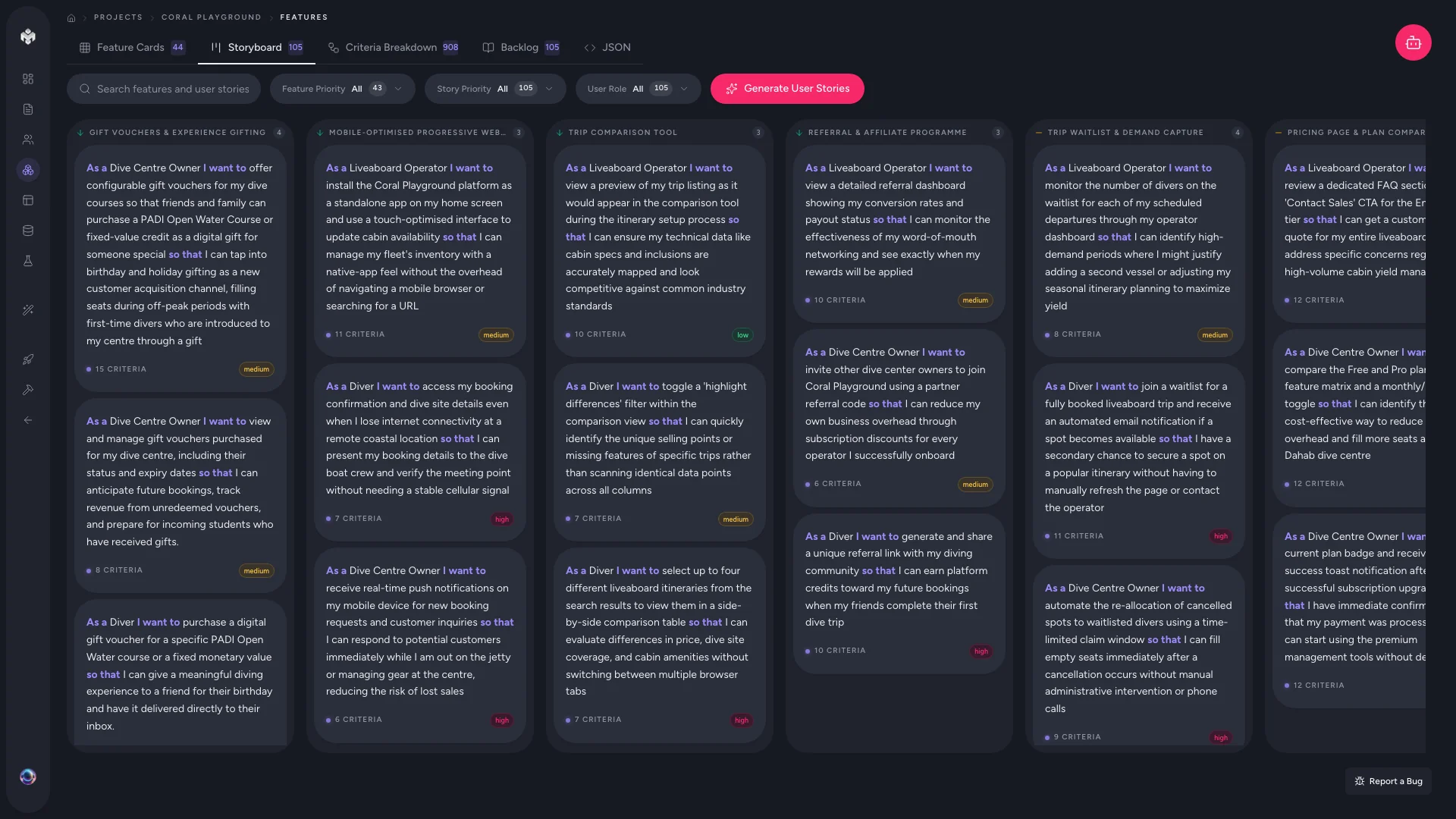
Storyboard View
The storyboard groups user stories under their parent feature cards. Each card shows the feature name, its stories, and the personas involved.
This view is best for:
- Visualizing the user journey through your product
- Checking that each feature has adequate story coverage
- Identifying features that lack stories for certain personas
Table View
The table view lists all stories in a sortable, filterable format with these columns:
| Column | Description |
|---|---|
| As a | The persona role |
| I want | The functional goal |
| So that | The benefit or reason |
| Priority | High, Medium, or Low |
| Status | Not Started, In Progress, or Completed |
| Effort | Story points (Fibonacci: 1, 2, 3, 5, 8, 13) |
Use filters to narrow stories by persona, priority, or status. The search bar finds stories by keywords in any field.
Coverage Tracking
VibeMap tracks story coverage to help you identify gaps in your requirements:
- Persona coverage -- which personas have stories and which do not. If a persona has no stories, they may be underserved by your current feature set.
- Feature coverage -- which features have stories and which are missing them. Features without stories may need additional generation or manual story creation.
- Priority distribution -- the balance of high, medium, and low priority stories across your project.
Reviewing coverage helps ensure your specification is complete before moving to acceptance criteria and technical planning.
Managing User Stories
Adding Stories Manually
- Open a feature's detail view
- Navigate to the user stories section
- Fill in the "As a / I want / So that" fields
- Assign a priority and effort estimate
- Save the story
Editing Stories
Click the edit icon on any story to refine its wording. Common edits include:
- Making the action more specific and measurable
- Adjusting the benefit to reflect real business value
- Changing the persona if the story better fits a different user type
Deleting Stories
Remove stories that are out of scope. Note that deleting a story also removes its associated acceptance criteria.
Story Quality Checklist
When reviewing generated stories, check that each one:
- References a specific persona, not a generic "user"
- Describes a concrete, testable action
- States a clear benefit tied to the persona's goals
- Is small enough to be completed in a single development sprint
- Does not duplicate another story's functionality
Next Steps
Each user story serves as the basis for acceptance criteria -- the specific conditions that must be met for the story to be considered complete. See the next section to learn how acceptance criteria are generated and managed.