
2.2 — Business case & validation
On this page
2.2 — Business case & validation
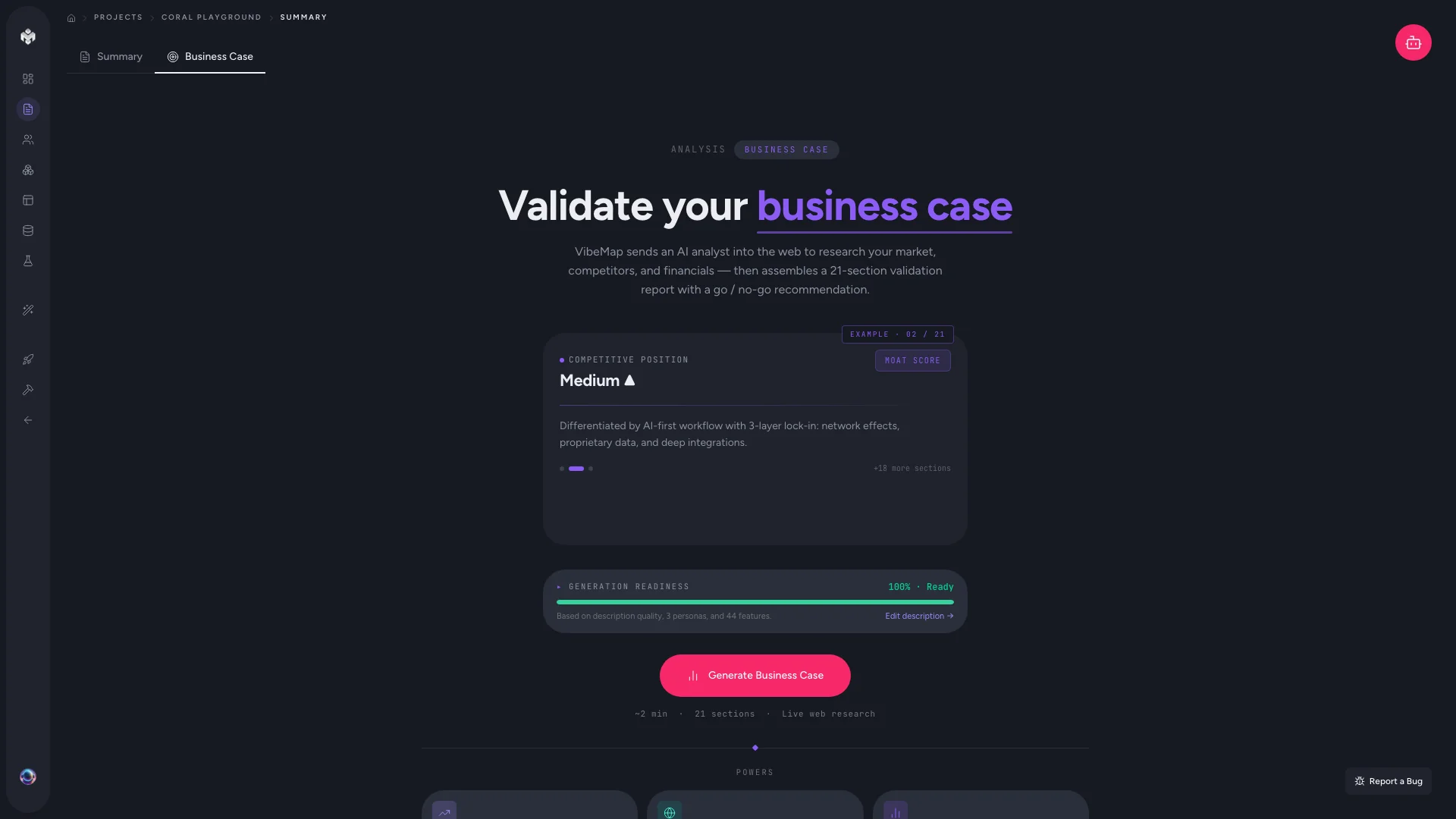
After your project summary is generated, VibeMap can run a separate business case pass — an AI-generated market validation grounded in live web research. It looks at the product positioning in your summary and pulls in real-world context: competitor presence, market signals, regulatory considerations, and obvious go-to-market risks.
This is optional but highly useful before you commit serious time to building.
How to access it
- Open your project.
- Click Business Case in the top navigation (alongside Summary, Personas, Features, etc.).
- If no business case has been generated yet, you'll see a CTA card with a Generate business case button.
What gets generated
The business case typically contains:
- Executive summary — a one-paragraph framing of the opportunity, with the target user and core value proposition pulled from your project summary.
- Market validation — signals from public web sources about whether real users have this problem (search volume, forum threads, competitor traction).
- Competitive landscape — direct and adjacent competitors, with a short note on how your product would differentiate.
- Risks & constraints — common pitfalls (regulatory, technical, market-timing) that apply to your category.
- Open questions — explicit things you should validate before building.
The exact sections may evolve as we tune the pipeline.
Live web research
The business case isn't generated from the LLM's training data alone. It runs live web research as part of the generation pipeline, which means:
- It can reference current market signals (not just what was true at the model's training cutoff).
- It can cite real competitors and recent articles.
- Generation takes longer than a normal LLM call (typically 30-60 seconds for a full business case).
Pre-flight gating
The business case generator depends on your project's executive summary column being populated — which happens automatically when the project summary finishes generating. If you try to run the business case before the summary is ready, you'll see a "pre-flight" message asking you to wait.
If you regenerate the summary, you'll want to regenerate the business case too so the framing stays in sync.
Editing and regenerating
- Edit: click into any section of the business case to edit it inline. Manual edits stick.
- Regenerate: click Regenerate business case to re-run the full pipeline. Your manual edits will be overwritten, so copy anything important first.
- Partial regeneration isn't available in v1 — it's all-or-nothing.
When to use it (and when to skip it)
Use it when:
- You're early in a project and want a sanity check before committing.
- You're pitching the project to a co-founder, investor, or stakeholder.
- You're not sure whether the market is big enough or the competition is too entrenched.
Skip it when:
- You're building something you already have deep market context for.
- You're prototyping for fun and don't care about market validation.
- The project is internal-only (no market dynamics to validate).
Tips
- Read it critically. AI-generated market analysis is a starting point, not gospel. Treat it like a first draft from a junior analyst — useful, but verify any claim before quoting it externally.
- Use the open-questions section. It's often the most valuable part — explicit things to validate are easier to act on than vague reassurance.
- Re-run after major pivots. If you change your positioning, regenerate. The business case is downstream of your summary; if the summary moves, this should move too.
Next steps
- Move on to Generating personas.
- Or jump to Features if you've already got your personas dialed in.