
2.1-project-summary
On this page
Project Summary
The project summary is an AI-analyzed overview of your entire project, generated automatically from the description you provide when creating a new project. It serves as the foundation that all other generations -- personas, features, user stories, and more -- build upon.
Think of it as your project's north star: a structured, professional specification that translates your initial idea into a clear plan.
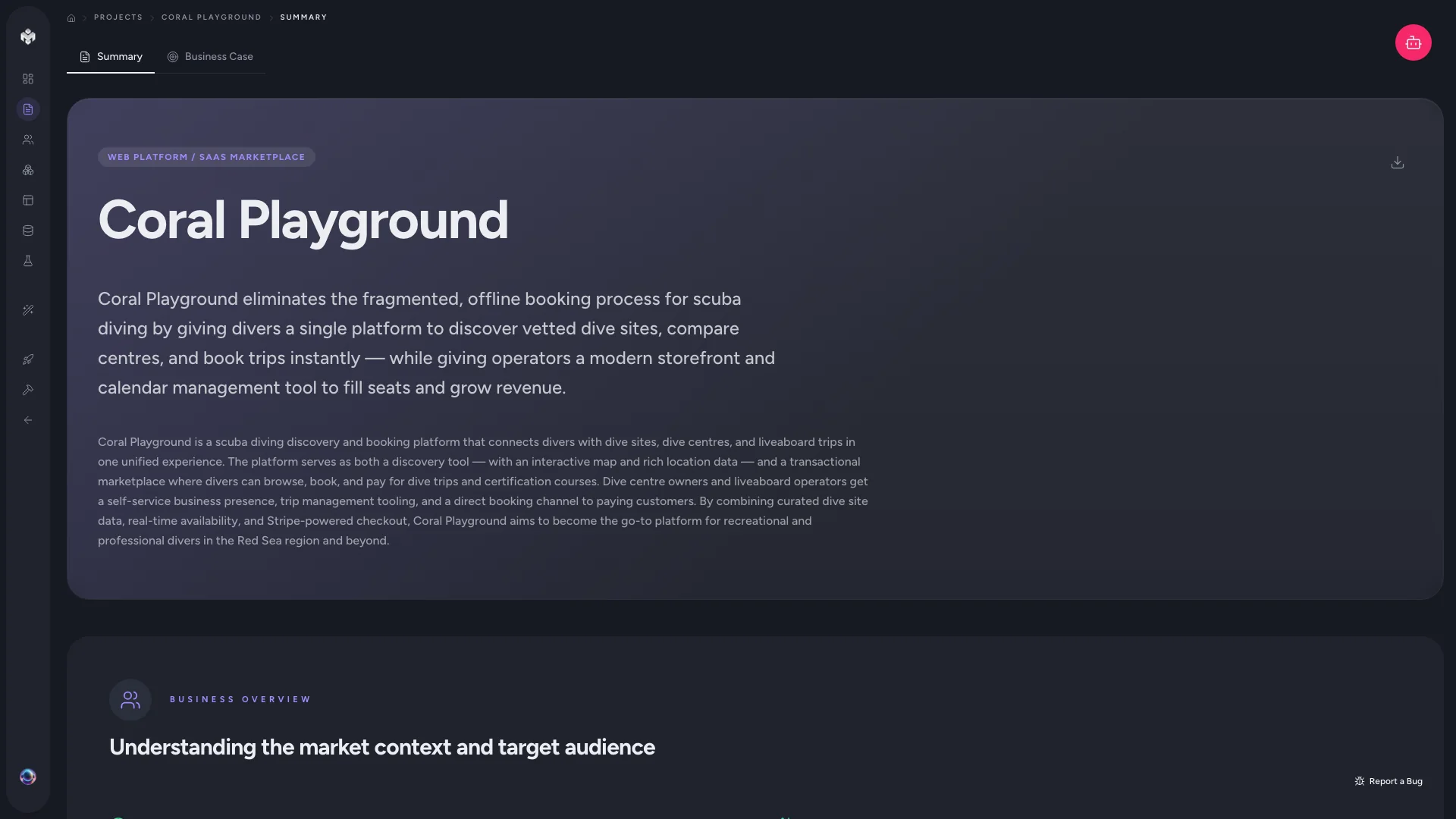
How It Works
When you create a project and submit your description, the AI immediately analyzes your input and produces a structured summary. The process involves three steps:
- Deconstructing your prompt -- identifying business goals, technical requirements, and key constraints
- Applying domain context -- interpreting your idea through industry-specific knowledge
- Drafting a structured specification -- organizing everything into clearly defined sections
The AI does not simply restate what you wrote. It interprets, expands, and organizes your description into a professional project specification.
What the Summary Contains
The project summary is organized into several key sections:
Executive Summary
A concise overview of your project's purpose, scope, and value proposition. This captures the core problem your project solves and the approach it takes.
Target Audience
An initial analysis of who your project serves. This section identifies the primary user groups and their characteristics, which later informs persona generation.
Technical Context
High-level technology recommendations and architecture patterns based on your project's requirements. This includes:
- Suggested tech stack (frameworks, databases, hosting)
- Architectural approach (serverless, monolithic, microservices)
- Key integrations and third-party services
Functional Scope
A broad breakdown of the feature areas your project will need. This is a high-level map of functionality that guides the detailed feature generation step.
Goals and Success Metrics
Measurable objectives and KPIs that define what success looks like for your project. These help keep feature prioritization aligned with business outcomes.
Risks and Constraints
Potential blockers, technical challenges, and assumptions identified early. Surfacing these upfront helps you plan around them before they become problems.
Reviewing Your Summary
After generation, take time to review each section carefully. The summary directly influences every subsequent generation step, so accuracy here matters.
What to look for:
- Does the executive summary capture your core vision?
- Are the target audience segments correct and complete?
- Do the technical recommendations align with your team's skills and preferences?
- Are there missing risks or constraints you should add?
Editing the Summary
You can manually edit any section of the summary to better reflect your specific vision. Click the edit icon on any section to refine the AI's output. Common edits include:
- Narrowing the scope to focus on MVP-critical functionality
- Correcting technical assumptions (e.g., specifying a required tech stack)
- Adding business context the AI could not infer from your description
Regenerating the Summary
If you significantly update your project description, click the Regenerate button to refresh the entire summary. This will re-analyze your updated prompt and produce a new specification aligned with your revised vision.
Keep in mind that regenerating will replace the current summary, including any manual edits you have made.
How the Summary Connects to Other Steps
The project summary is not a standalone document -- it feeds directly into subsequent generations:
| Generation step | What it uses from the summary |
|---|---|
| Personas | Target audience analysis, user segments |
| Features | Functional scope, goals, technical context |
| User stories | Goals, success metrics, persona context |
| Schema | Technical context, integration requirements |
Getting your summary right means every downstream generation starts from a strong, accurate foundation.
Tips for a Better Summary
- Be specific in your project description. The more detail you provide upfront, the more accurate and useful the summary will be.
- Include your constraints. Budget limits, timeline requirements, team size, and tech preferences all help the AI produce a more realistic specification.
- Mention your target users. Even a brief mention of who will use your product helps the AI identify the right audience segments.
- Review before moving on. Spending a few minutes refining the summary saves significant time in later steps.
Next Steps
With your project summary reviewed and finalized, proceed to Personas to define detailed user profiles based on the audience segments identified here.