
Two ways to generate: VibeMap or your own agent
On this page
Two ways to generate: VibeMap or your own agent
Every part of your spec can be produced two ways — let VibeMap generate it, or have your own connected AI agent author it. Same project, same result, different engine. · Recommended
Whenever you generate something in VibeMap — personas, features, user stories, acceptance criteria, pages, or the database schema — you have a choice of engine:
- Generate with VibeMap (the default) — VibeMap's hosted models do the work. Zero setup, works in the browser, metered against your plan's token budget.
- Author with your own agent (MCP) — your connected IDE agent (Claude Code, Cursor, Windsurf, VS Code) writes the spec straight into the project through the VibeMap MCP server. VibeMap only stores what your agent authors — it runs no AI on this path — so the work runs on your tokens and never touches your VibeMap budget.
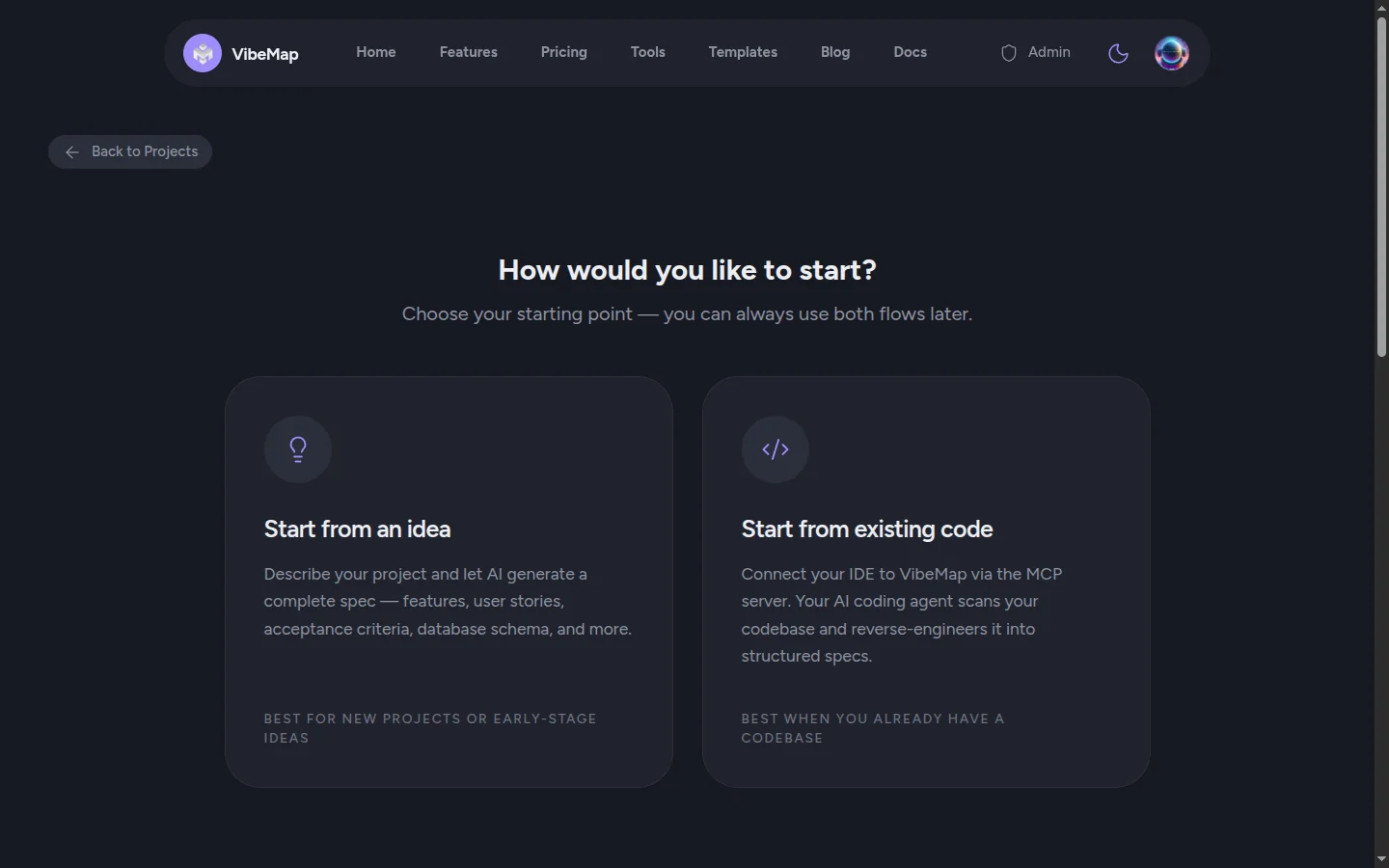 Figure: New Project offers both engines up front — "Start from an idea" (VibeMap generates) or "Start from existing code" (your own agent authors over MCP). You can use both flows on the same project later.
💡 The billing rule in one line: You're only billed when VibeMap generates. Anything your own agent authors is free.
At a glance
| Generate with VibeMap | Author with your own agent | |
|---|---|---|
| Who does the thinking | VibeMap's hosted models | Your connected IDE agent |
| Whose tokens | Your VibeMap budget (metered) | Your own agent's subscription (not metered) |
| Setup | None — click the button | Connect the MCP server once (5 min) |
| Best grounding | Your project idea + prior spec | The whole codebase (code-first) or the full idea |
| Where you run it | The project editor, in the browser | Your IDE, via a slash command |
| Plan required | Any plan | Any plan |
The plan rule, precisely
Connecting over MCP is not a paid feature. It is open on every plan, Free included, and deliberately so: an agent spending its own tokens costs VibeMap almost nothing, so MCP is an on-ramp rather than a locked door.
What your plan gates is the capability behind each entity — and it gates it identically on both engines:
| Entity your agent authors, or VibeMap generates | Plan |
|---|---|
| Project summary, personas, features, user stories, acceptance criteria | Any, including Free |
| Pages & sections | Starter and above |
| Database schema | Starter and above |
So a Free user can connect an IDE agent today and have it author personas, features, stories, and criteria into a project. Pages and schema are the entities that need Starter, whichever engine writes them — nothing about the connection itself changes. Plan-by-plan detail: Account and billing.
Neither engine locks you in. You can generate personas with VibeMap, author features with your agent, and switch back again — it's the same project either way. Green dots in the sidebar mark whatever already has content, regardless of which engine produced it.
Generate with VibeMap (the default)
This is the path the rest of this guide walks through. On each Plan step you click Generate (for example Generate Features) and VibeMap streams the result in. VibeMap picks the model; on Pro and above a selector appears beside the button so you can override the model tier yourself. Nothing to install, nothing to connect. Usage is metered against your monthly token budget.
Choose this when you want the fastest path, you're working in the browser, or you don't have a capable local coding agent handy.
Author with your own agent (MCP)
If you've already connected the VibeMap MCP server, your IDE agent can author the spec directly. VibeMap hands you a ready-to-paste slash-command prompt; your agent reads your project (or your codebase), then writes each entity in via the vibemap_create_* tools. Because your agent does all the reasoning, the depth and accuracy are down to it — and the token spend stays on your own subscription.
You'll find the entry point as a quiet disclosure beneath the Generate button on the empty Personas, Features, Pages, and Schema steps — "Prefer your own agent? Keep it on your tokens". Expand it and VibeMap hands you the slash command to run. It's deliberately shy: it only shows up once your agent's API key has actually been used in the last ten minutes and the step is still empty, so browser-only users never see a dead end.
There are two starting points and one follow-up step:
Idea-first — /mcp__vibemap__author_idea
Started your project from a description? Run this in your IDE. Your agent reads the project idea and any existing spec, then authors your whole spec in one pass — personas → features → user stories → acceptance criteria → pages. This is the command behind the escape hatch on the Personas, Features, and Pages steps, so whichever step you're standing on, one run fills them all.
Code-first — /mcp__vibemap__author_spec
Already have a codebase? Start the project from New Project → Start from existing code (the Connect wizard). It creates the project, generates your API key, and hands you a connection kit — the MCP config plus this spec-authoring prompt. Your agent then reads the entire repo — not a digest — and authors the same whole graph, grounded in what the code actually does. This is the highest-grounding path.
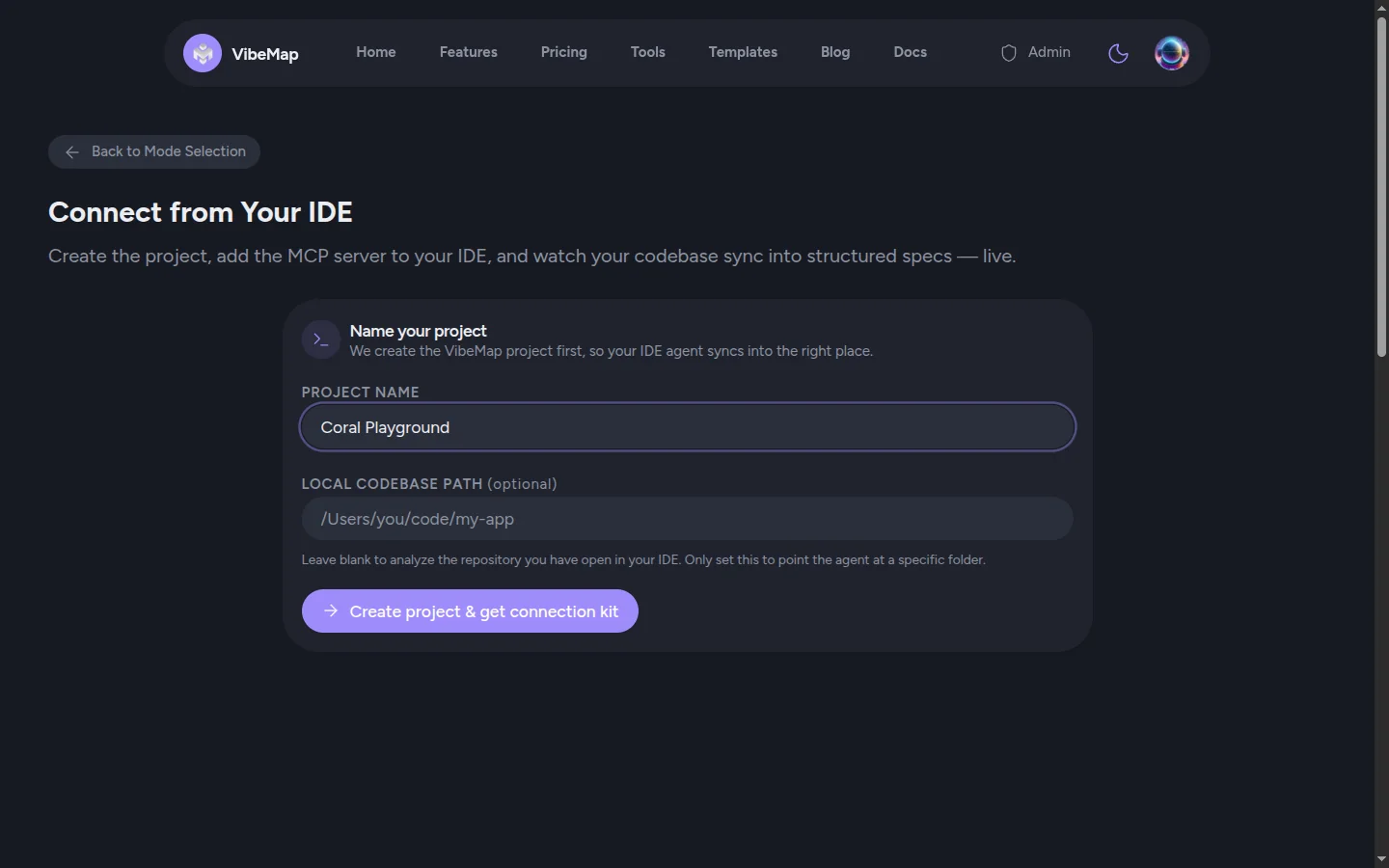 Figure: “Start from existing code” opens the Connect wizard; naming the project generates the connection kit and the
 author_spec prompt so the thinking (and the tokens) stay on your agent.
Schema is its own step — /mcp__vibemap__author_schema
The database schema is deliberately separate and run last, after the rest of the spec is stable — it reasons over the whole spec at once. Run author_schema (or use the your-own-agent option on the empty Schema step) and your agent designs the Postgres data model — tables → columns → relationships — and persists it in one vibemap_create_schema call. VibeMap seeds row-level security from the foreign keys your agent sets.
💡 Not on Claude Code? The
/mcp__vibemap__…slash commands are how Claude Code surfaces MCP prompts. In another IDE, just ask your agent to run VibeMap'sauthor_idea/author_spec/author_schemaprompt — same result.
Which should I use?
- Reach for VibeMap generation when you want zero setup, you're in the browser, you're iterating fast, or you don't have a strong local agent.
- Reach for your own agent when you already have a capable IDE agent, you want the best grounding (especially reverse-engineering an existing codebase), or you'd rather spend your own tokens and keep your VibeMap budget for other steps.
Both feed the exact same project graph, so downstream steps — Prepare for Dev, the App Builder, and handoff — work identically no matter which engine authored the spec.
⚡ Power-user hints
- Run
author_ideaonce, not once per step. It authors the whole graph — personas through pages — in a single pass, so running it from the Personas step and again from the Features step just does the same work twice on your tokens. - Can't find the disclosure? Wake the connection. It only renders while your API key has been used in the last ten minutes. Run any VibeMap MCP tool from your IDE and reload the step.
- On Free, your own agent is how you stretch the budget. Free's 300K monthly auto tokens only meter what VibeMap generates. Anything your agent authors costs you nothing there, so the sensible split is agent-authored spec plus VibeMap generation for the steps you'd rather not prompt yourself.
What's next
- Connect your IDE — the 5-minute MCP setup that unlocks the your-own-agent path.
- MCP server overview — the developer-side detail: tools, prompts, and the Connect wizard.
- Account and billing — how the token budget is metered, and why your-own-agent authoring isn't.