
Project summary
On this page
Project summary
An AI-analysed overview of your whole project, generated from the description you gave when you created it — the foundation every later step builds on. · Recommended
The project summary is the first thing VibeMap produces, and it feeds everything downstream: personas, features, user stories, schema and the business case all read from it. Review it before you go further — a few minutes here saves rework everywhere else. It belongs to the Research phase, but it is not part of what that phase gates: while Research is switched off the summary still generates, as the opening of Plan. (Its two neighbours in this section, the business case and financial analysis, are the gated ones.)
Open it from Project → Docs in the sidebar: the Summary is the first document in the Docs hub — the one place that gathers the Summary, PRD, Dev Spec, and System Design — and the hub always opens on it.
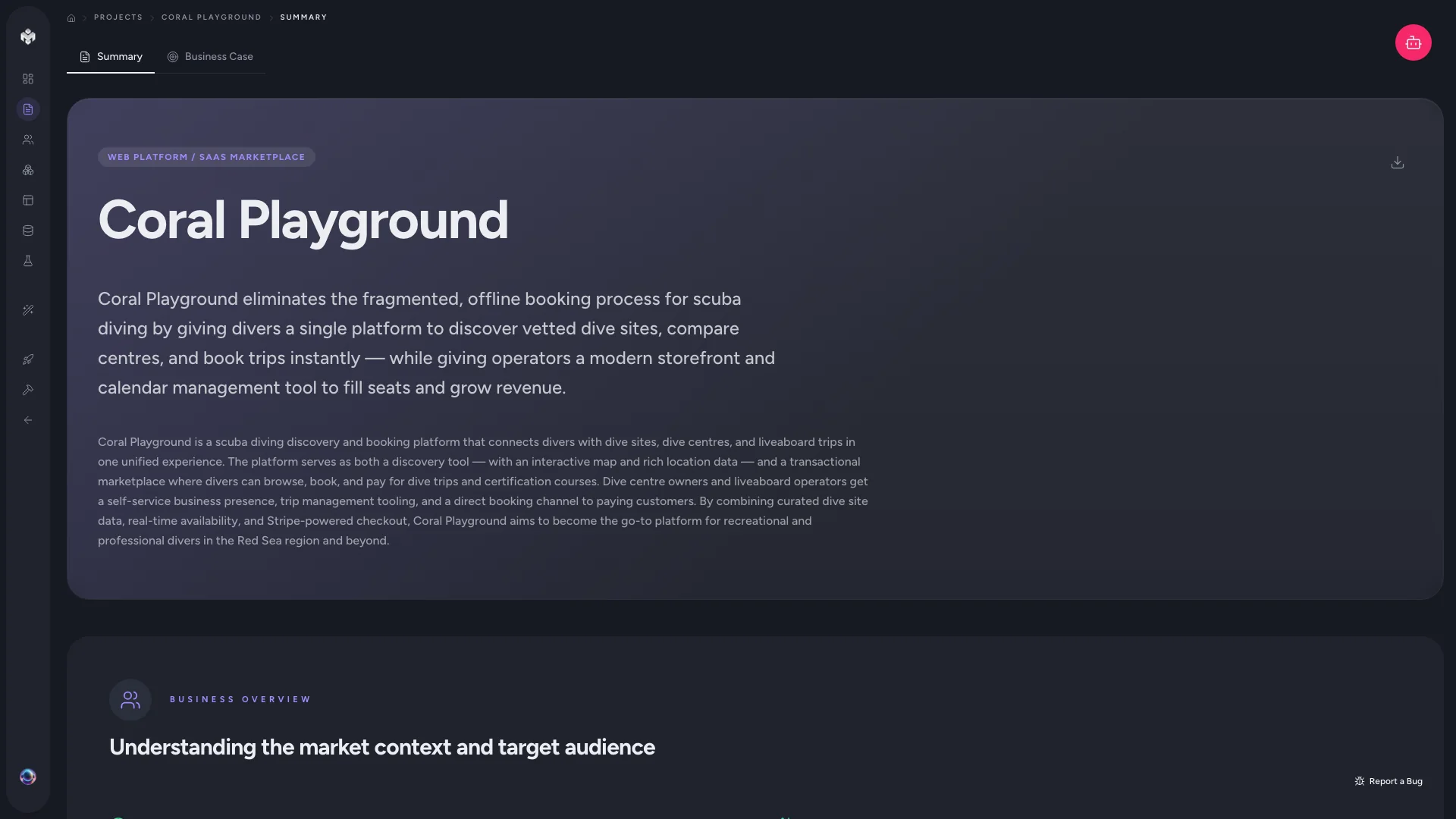 Figure: Project summary.
How it's generated
When you create a project and submit a description, VibeMap analyses your input and drafts a structured specification. It doesn't just restate what you wrote — it interprets, expands and organises it:
- Deconstructs your prompt — pulls out business goals, technical requirements and constraints.
- Applies domain context — reads your idea through industry-specific knowledge.
- Drafts a structured spec — organises everything into the sections below.
💡 Tip: If you started your project through your IDE over MCP rather than in the app, the summary is populated by your coding agent's first sync instead of the in-app analysis. Until that sync lands you'll see an "awaiting sync" card here — see Codebase sync & code map.
What the summary contains
The page is organised into sections, each independently editable:
| Section | What it holds |
|---|---|
| Business overview | The core problem, scope and value proposition — your project's north star. |
| Functional scope | A high-level map of the feature areas the project will need. |
| Goals & metrics | Measurable objectives and KPIs that define success. |
| Risks & dependencies | Blockers, technical challenges and assumptions surfaced early. |
| Technical architecture | Suggested stack, architectural approach and key integrations. |
| Scope & future | What's in the MVP versus what's parked for later. |
| Decisions | A read-only log of the choices you and the agent locked in. |
The Decisions log
Once decisions have been captured, a Decisions section appears at the bottom of the summary. It's a read-only record of choices captured at three points — answered pre-flight interview questions, resolved plan proposals, and what-if outcomes — each tagged with its source. It stays hidden until there's at least one decision to show, so projects that have captured none see no change. See Interviews & decisions.
Reviewing and editing
The summary shapes every later generation, so accuracy matters. As you read, ask:
- Does the business overview capture your core vision?
- Are the target segments correct and complete?
- Do the technical recommendations match your team's skills and preferences?
- Are there missing risks you should add?
Click the edit control on any section to refine it inline. Common edits: narrowing scope to MVP-critical work, correcting a technical assumption (e.g. pinning a required stack), or adding business context the AI couldn't infer. You can also download the summary from the page header for sharing.
⚠️ Watch out: Regenerating the summary re-analyses your prompt and replaces the whole thing, including any manual edits. Copy anything hand-written you want to keep before you regenerate.
How the summary connects downstream
| Later step | What it reads from the summary |
|---|---|
| Personas | Target audience, user segments |
| Features | Functional scope, goals, technical context |
| User stories | Goals, success metrics, persona context |
| Business case | Business overview / positioning |
| Schema | Technical context, integration requirements |
Get the summary right and every downstream generation starts from a strong, accurate base.
⚡ Power-user hints
- Front-load the detail. The summary is only as good as your description. Include budget, timeline, team size and stack preferences up front and the AI produces a far more realistic spec — see Writing effective prompts.
- Re-run after big pivots, not small tweaks. Because everything downstream reads the summary, regenerate it deliberately after a real change of direction, then refresh the business case so the framing stays in sync.
- Edit surgically. For a one-line correction, edit the single section inline rather than regenerating the whole summary and losing your other edits.
↔ The traditional way
Traditionally a product manager or business analyst turns a founder's brief and a round of stakeholder interviews into a written project brief or one-pager — usually a day or two of drafting, and a document that goes stale the moment the idea moves. VibeMap produces the same structured brief in seconds, keeps it living (regenerate on a pivot), and — crucially — makes it machine-readable so the rest of the pipeline can build on it directly instead of a human re-keying it into the next tool.
What's next
- Validate the idea before you spec it: Business case & validation (Pro plan).
- Or jump straight into defining users: Generating personas.