
User stories
On this page
User stories
Plain-language requirements written from each persona's point of view — "As a…, I want to…, so that…". · Required
User stories connect a persona to a feature and state why the feature matters. They're generated automatically with your features, so there's no separate step to run — this page is about reading, checking, and refining them.
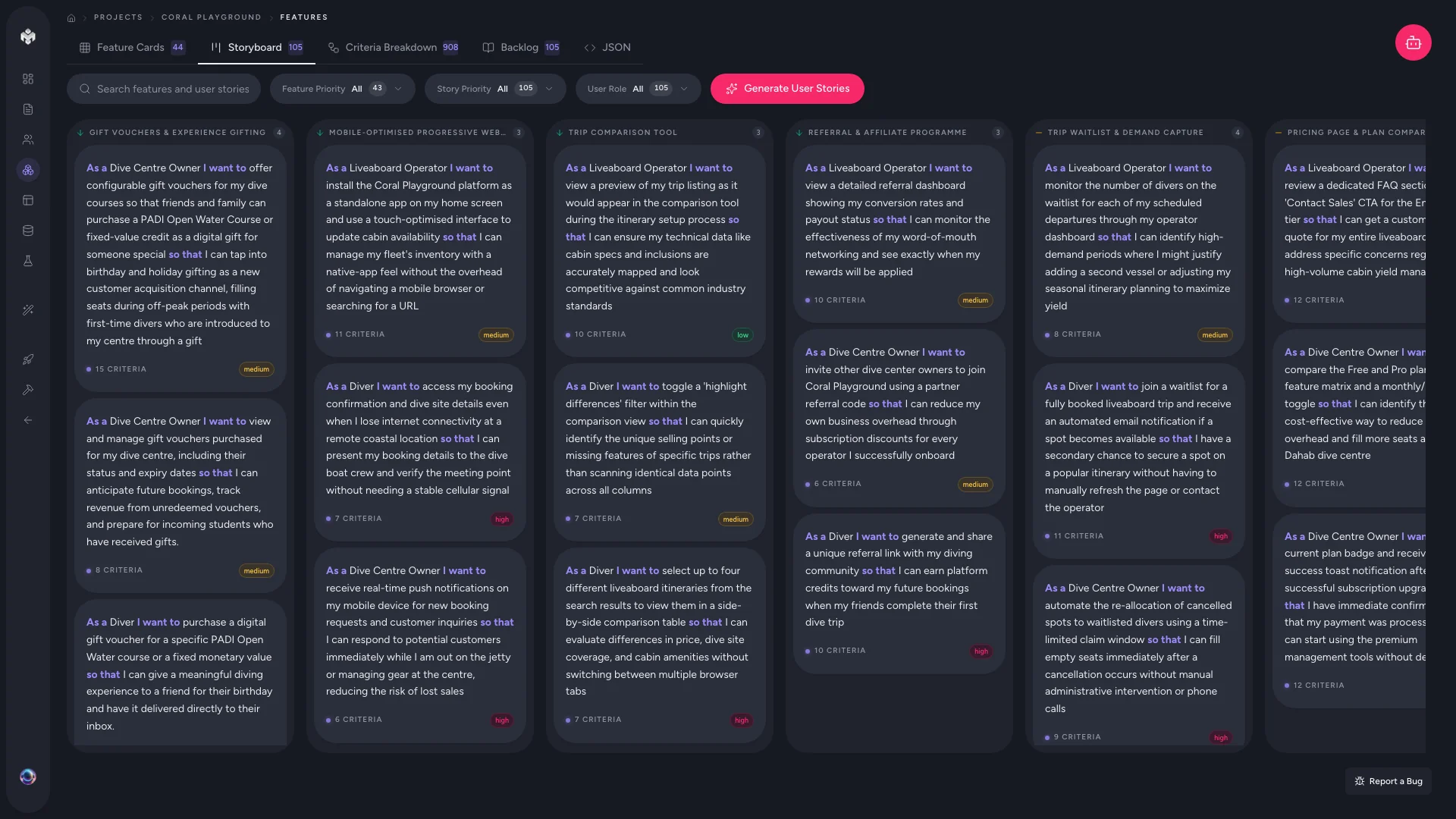 Figure: Storyboard view.
Reading your stories
Every story has three parts and two links:
| Part | Question it answers | Example |
|---|---|---|
| As a [persona] | Who needs this? | "As a dive shop owner" |
| I want to [action] | What do they do? | "I want to view all upcoming bookings" |
| So that [benefit] | Why does it matter? | "so that I can plan staffing" |
- The persona link ("As a…") points at one of your defined personas.
- The feature link sets each story under a parent feature, forming the hierarchy Feature → Story → Criteria.
Each feature usually gets 2–5 stories. View them two ways:
- Storyboard — stories grouped under their feature cards. Best for seeing the user journey and spotting features with thin coverage.
- Backlog — a sortable table with As-a / I-want / So-that columns plus priority, status, and effort (Fibonacci points). Filter by persona, priority, or status; search across any field.
Coverage tracking
The Overview page surfaces coverage so you can find gaps: which personas have no stories (possibly underserved), which features are missing stories, and how priorities are distributed. Close the gaps before you move on to pages and schema.
The Stale badge
Open a feature from the Features page and a small amber Stale pill may sit beside one of its stories. It means the parent feature changed after that story was written — and specifically that a field the story was derived from moved (name, description, category, kind, business value). A status or priority flip doesn't count and won't raise it.
Click the pill for a Changed upstream popover: which feature changed, and each field's before → after. Nothing is rewritten for you — the badge only tells you the story may no longer match its parent, so you can judge whether to edit it. See Staleness and reconciliation.
Editing stories
Click the edit icon on any story to sharpen the action, adjust the benefit, or reassign the persona. Add stories manually from a feature's detail view. Deleting a story also deletes its acceptance criteria.
💡 Tip: A good story is small enough to finish in one sprint, names a specific persona, and describes a concrete, testable action. If a story reads as generic ("As a user, I want the app to be good"), rewrite it before deriving criteria from it.
⚡ Power-user hints
- Fix stories, not tests. Everything downstream (criteria, then the test suite) is a projection of the story. Tighten the wording once here and the whole chain improves.
- Use coverage as a to-do list. An uncovered persona is often a missing feature in disguise — jump back to Features and generate more.
- Effort points feed sprint planning. Keep them honest and Sprint planning later becomes a sort rather than a guess.
Author with your own agent (MCP)
There's no separate step here either: the same one-pass run started from Features authors the stories under each feature — see Two ways to generate.
↔ The traditional way
A team normally writes stories by hand in Jira, one persona and one ticket at a time, negotiating format in refinement sessions. VibeMap drafts the whole set in the standard connective format and keeps every story wired to its persona and feature automatically — you spend your time judging value, not typing tickets.
What's next
- Every story gets testable conditions → Acceptance criteria