
Generating features
On this page
Generating features
Turns your summary and personas into a structured, prioritised list of everything your product needs to do. · Required
Features are the spine of your spec. Every user story, acceptance criterion, page, and schema table traces back to a feature, so this is the one Plan step you shouldn't skip. Generate personas first for the best results — features are grounded in the goals and pain points they describe.
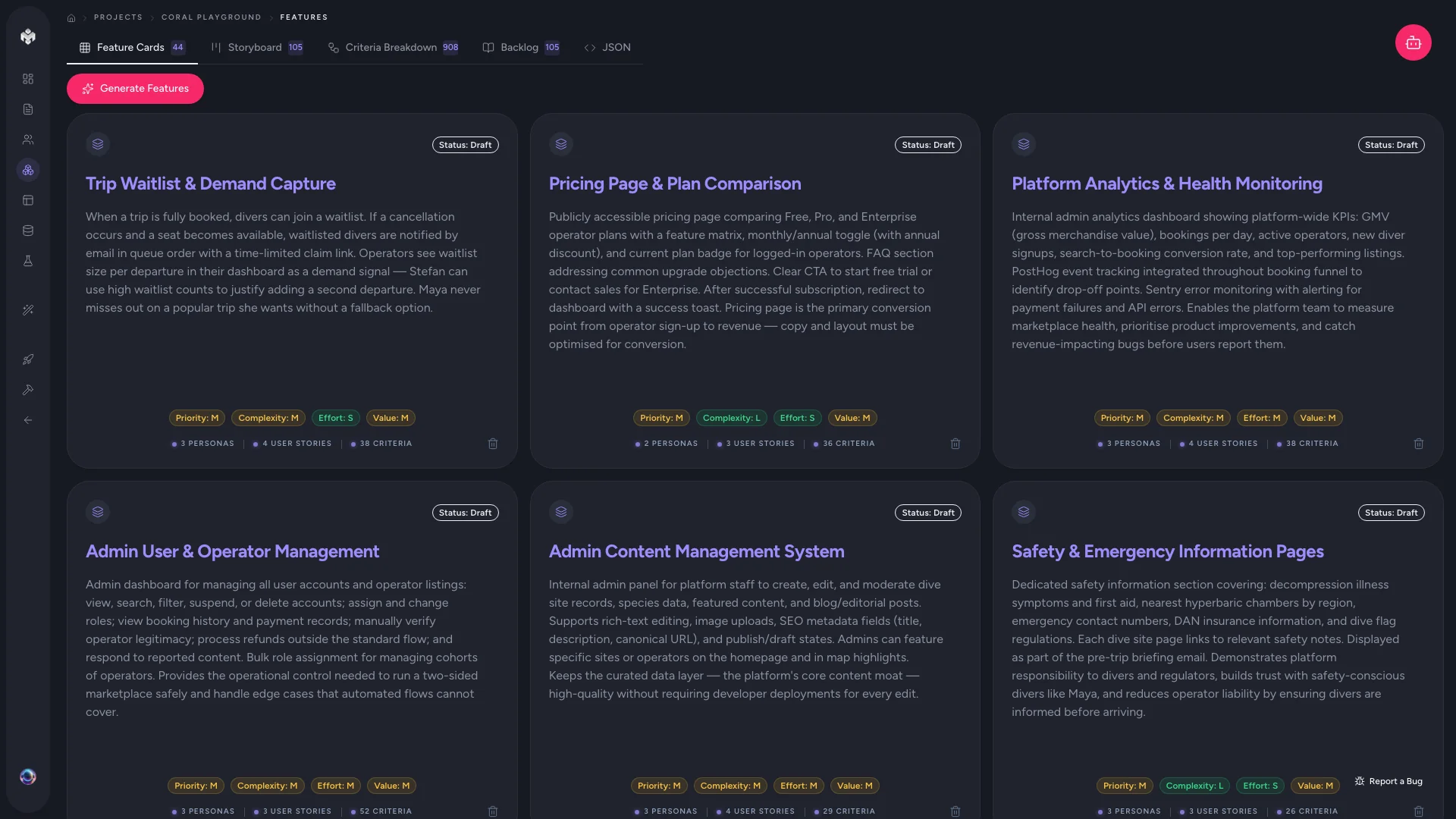 Figure: Feature cards.
Generating your features
- Open the Features page from the project sidebar.
- Click Generate Features.
- The AI reads your project summary and personas, breaks the product into logical categories, and populates each one. Progress streams in real time.
- Features appear in the Feature Cards view when generation completes.
Each feature carries a name, description, and category, plus AI-assigned Priority (High / Medium / Low), Complexity (Simple / Medium / Complex), Effort (story points), and a Business Value rating.
The five feature views
Switch views from the tab bar above the list:
| View | Best for |
|---|---|
| Feature Cards | The default. Visual cards grouped by category — a quick read on scope. |
| Storyboard | Features linked to their user stories, so you can see the narrative each persona follows. |
| Criteria | The full Feature → Story → Criteria hierarchy (see Acceptance criteria). |
| Backlog | A sortable, filterable table for bulk edits and technical review. |
| JSON | The raw data, for export or debugging. |
Adding more, or editing by hand
- Generate Additional Features — runs another pass that looks for gaps in what already exists.
- Add Feature — create one manually with a name, description, and category.
- Edit inline — on the Feature Cards grid, click a card's priority, complexity, effort, or value badge to change it in place; the card icons still cover full edit and delete.
- Bulk-select — use the checkboxes in the Backlog view to update status or priority across many features at once.
⚠️ Watch out: Deleting a feature also removes its user stories and their acceptance criteria. Delete deliberately.
⚡ Power-user hints
- Treat AI priorities as a first draft. High = MVP-blocking or a critical pain point; Medium = full-experience-but-not-launch; Low = polish. Re-rank to match your actual launch plan before you generate pages.
- Categories are editable. Rename them or reassign features to reshape how the sidebar, storyboard, and pages group your product.
- Backlog view for scale. On a large project, sort by business value or effort in Backlog to find the highest-leverage MVP slice fast.
Author with your own agent (MCP)
Instead of clicking Generate Features, a connected IDE agent can author your features straight into the project on its own tokens — the "Prefer your own agent? Keep it on your tokens" disclosure under the button. Features run on every plan, Free included, on either engine. Full detail: Two ways to generate.
↔ The traditional way
A product manager typically spends days turning research into a PRD and a prioritised backlog, then defends the cut-line in planning meetings. VibeMap generates the categorised, scored backlog from your summary and personas in one pass — you arrive at prioritisation as an editing exercise instead of a blank-page one.
What's next
VibeMap generates user stories and acceptance criteria automatically alongside your features. Explore them next: