
Business case & validation
On this page
Business case & validation
An AI market-validation report grounded in live web research — the "should we build this?" gut-check before you spec. · Recommended
The business case is the second stop in the Research phase: after the summary describes what you're building, this asks whether it's worth building. It's optional, but running it before you commit serious time means you only spec the ideas worth building. Skip it if you already have deep market context or you're just prototyping for fun.
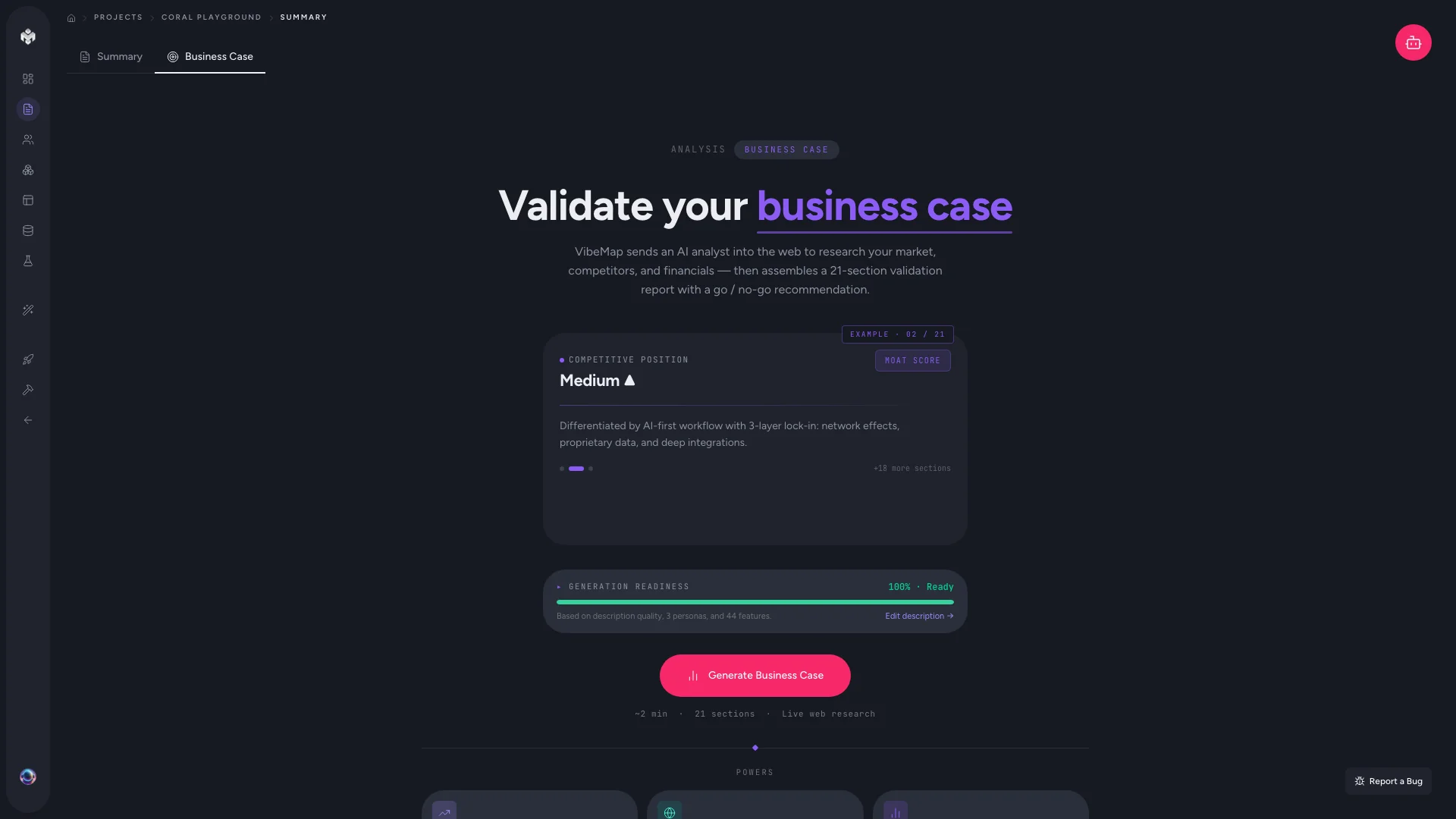
How to open it
- Open your project and click Research in the sidebar.
- The Research surface has two tabs — Business Case (the default) and Financial Analysis. You land on Business Case.
- If none exists yet, you'll see a CTA card with a Generate business case button and a readiness meter. The agent sidebar also offers a "Generate business case" suggested action on fresh projects.
💡 Tip: The old
/business-caselink still works — it redirects to the Research page with the Business Case tab open.
What gets generated
A typical business case contains:
- Executive summary — the opportunity in a paragraph, with the target user and core value proposition pulled from your project summary.
- Market validation — signals from public web sources on whether real users have this problem (search interest, forum threads, competitor traction).
- Competitive landscape — direct and adjacent competitors, plus how your product would differentiate.
- Risks & constraints — regulatory, technical and market-timing pitfalls for your category.
- Open questions — explicit things to validate before building.
- A go / no-go verdict framing whether the idea is worth pursuing.
Live web research
The business case isn't written from the model's training data alone — it runs live web research as part of generation. That means it can cite current market signals and real competitors rather than what was true at the training cutoff, but it also takes longer than an ordinary generation (expect a minute or two while it searches).
Pre-flight requirements
The generator depends on two things being in place, and the empty-state readiness meter tells you where you stand:
- Your project's executive summary must be populated (it fills in automatically when the project summary finishes).
- Your project description needs enough substance — very short prompts are blocked with a "add more detail" message, because report quality tracks what you give the analyst.
If either isn't ready you'll see a pre-flight message instead of the Generate button.
Editing and regenerating
- Edit — click into any section to edit it inline. Manual edits stick.
- Regenerate — re-runs the full pipeline. It's all-or-nothing (no partial regeneration in v1) and overwrites your manual edits, so copy anything important first.
⚡ Power-user hints
- Read it like a junior analyst's first draft. It's a starting point, not gospel — verify any claim before you quote it externally.
- Mine the open-questions section. Explicit things to validate are far more actionable than vague reassurance; it's often the most valuable part.
- Re-run after a positioning change. The business case is downstream of your summary — if the summary moves, regenerate this so the two stay in sync.
- Then pressure-test the money. Once the market case holds, switch to the Financial Analysis tab to model whether the economics work — see Financial analysis.
↔ The traditional way
Traditionally a founder or analyst spends days on desk research — Googling competitors, skimming forums, pulling market-size figures into a slide deck or a business-case document. The output is only as current as the day it was written and rarely gets revisited. VibeMap compresses that into a single live-researched pass you can regenerate whenever your positioning changes, and hands you the explicit open questions to chase rather than a false sense of certainty.
What's next
- Model the economics: Financial analysis (optional).
- Or move into the spec: Generating personas → Features.