Spec-driven development (SDD) is a way of building software where a written, structured specification is the source of truth, and code (increasingly written by an AI agent) is generated from it and checked against it. You decide what to build and what "done" means before any code exists, instead of discovering it one prompt at a time.
That is the whole idea. The rest of this post is about what goes in the spec, how the main tools (GitHub Spec Kit, Kiro, OpenSpec) approach it, and a seven-stage pipeline for producing one from a plain-English idea, with prompt templates you can copy.
What is spec-driven development?
The spec in spec-driven development is not a 40-page requirements document. It is a set of linked artifacts, each small enough to review:
- Who the product is for (personas)
- What it does, in priority order (features)
- What each user needs to do (user stories)
- How you will know each one works (acceptance criteria)
- What data it stores (database schema)
- Where it all lives (pages, shared components, file structure)
The defining property is that these artifacts link. A story names the persona it serves and the feature it belongs to. An acceptance criterion belongs to a story. A table exists because a story needs it. A page exists because a story requires it. When something changes, you can see what else it touches.
In AI-assisted development, the spec does a second job. It is the context your coding agent reads. Instead of re-explaining the product in every prompt, the agent works against the same reviewed document every time, and its output can be checked against criteria that were written before it started.
Spec-driven development vs test-driven development
They are related but sit at different levels. Test-driven development works at the level of code: write a failing test, write the code that passes it, refactor. Spec-driven development works a level up: agree on the behaviour in plain language (usually as Given/When/Then acceptance criteria) before anyone, human or AI, writes code or tests. A good spec makes TDD easier, because each acceptance criterion is already most of a test case. They combine well, and neither replaces the other.
Spec-driven development vs vibe coding
| Vibe coding | Spec-driven development | |
|---|---|---|
| Source of truth | The latest prompt and whatever the AI produced | A reviewed spec that persists between sessions |
| When "done" is defined | When it looks right | Before generation, as acceptance criteria |
| Consistency across files | Depends on what the model remembers | Every generation reads the same context |
| Best for | Throwaway prototypes, exploring, learning | Anything with real users, real data or a team |
| Cost | Close to zero up front | Planning time up front, less rework later |
Vibe coding is not the enemy here. For a weekend project it is the right call, and what vibe coding actually is covers where the line sits. Spec-driven development is what you switch to when other people's data, money or time depend on the code being right.
Why a single prompt is not a spec
The instinct is to paste your product idea into ChatGPT and ask for a complete app specification. What comes back is technically what you asked for: a wall of text with sections labelled Personas, Features, Stories, Schema.
Then you try to use it, and three things go wrong.
Nothing links. A persona called "Alex the Solopreneur" appears in section one and has vanished by section three, where the stories all reference a nameless "user." Ask which stories serve Alex and there is no answer.
The granularity is incoherent. Four high-level features, 47 stories, three database tables. No way to tell which story belongs to which feature, or which schema field any of it needs.
It drifts. Run the same prompt tomorrow and you get different personas. Nothing persists, so every regeneration is a fresh document you have to reconcile by hand.
These are not prompt quality problems. They are structural, and the fix is to run the work in stages, with each stage's output serialised and passed explicitly into the next. That staged, linked output is what makes a spec usable for spec-driven development rather than a document you read once.
Spec-driven development tools: Spec Kit, Kiro, OpenSpec and VibeMap
If you have searched for spec-driven development, you have met GitHub Spec Kit. It is GitHub's open-source, MIT-licensed toolkit for doing SDD inside an AI coding agent, and at the time of writing its repository has around 146,000 stars. You install a command-line tool (uv tool install specify-cli), run specify init in a project, and it adds slash commands to your coding agent. The repository lists integrations for more than 40 agents, including Claude Code, GitHub Copilot, Cursor, Gemini CLI and Codex.
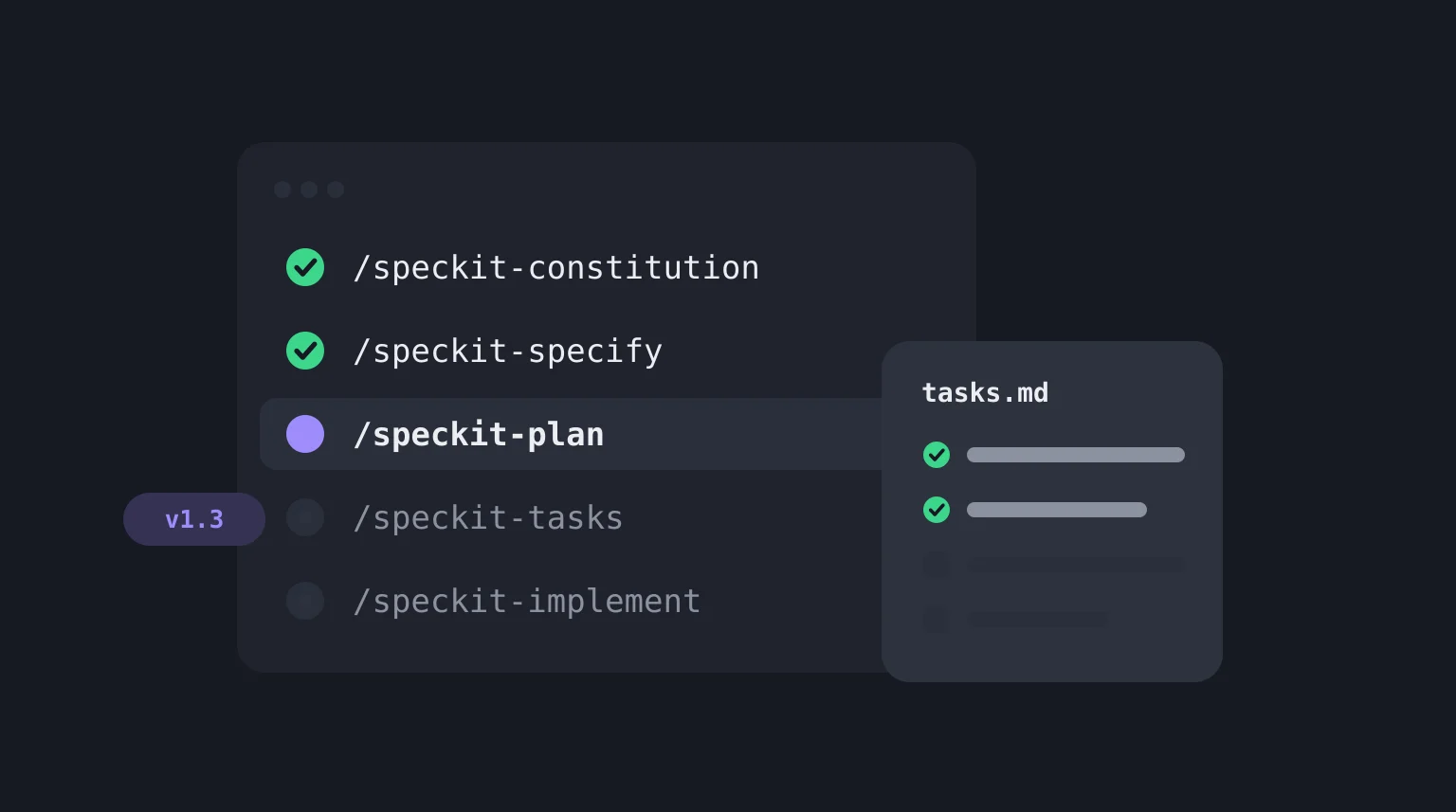
The core flow is a short run of commands, each reviewed before the next: /speckit-constitution sets the project's principles once, then for each feature /speckit-specify captures the requirements, /speckit-plan produces the technical plan, /speckit-tasks breaks it into tasks, /speckit-implement builds, and /speckit-converge checks the result against the spec, repeating until it reports it has converged. The exact syntax depends on the agent (older guides show /speckit.specify with a dot). The GitHub Spec Kit guide walks through all of it.
Spec Kit is not the only option. These four cover most of what people mean by a spec-driven development tool:
| Tool | What it is | Where the spec lives | The flow |
|---|---|---|---|
| GitHub Spec Kit | Open-source CLI plus slash commands for 40+ coding agents (MIT) | Markdown files in your repository | Constitution, specify, plan, tasks, implement, converge |
| Kiro | AWS's spec-driven tool, with IDE, CLI and web interfaces | requirements.md, design.md and tasks.md for each spec |
Requirements, design, tasks |
| OpenSpec | Open-source CLI plus slash commands, 30+ assistants (MIT), pitched at existing codebases as well as new ones | A folder per change in openspec/changes/ (proposal.md, specs/, design.md, tasks.md), archived when done |
Propose, apply, archive |
| VibeMap | Hosted web app (I build it) | Linked records in a database; agents read them over MCP, or you export markdown | Plain-English idea to personas, features, stories, criteria, schema and pages |
I have not benchmarked these against each other, and all of them change every few weeks, so treat the table as a map and check the linked docs before you commit. The practical split looks like this. If you already live in a repository with a coding agent and want that agent to work in disciplined steps, Spec Kit or OpenSpec fit, and OpenSpec's change-per-folder model suits work on code that already exists. If you want the spec inside an editor-style workflow, Kiro is built around it.
All three of those start from an engineer with a repo. What they leave open is the step before: deciding what the product is, in a form a founder, PM or client can review without opening an IDE. That is where VibeMap sits. The two compose rather than compete. VibeMap's MCP server (@vibemap.ai/mcp-server) lets agents like Claude Code read the spec directly whether or not Spec Kit is in the loop, and a VibeMap spec exports as structured markdown that works as input to Spec Kit's /speckit-specify step. There is a fuller comparison in VibeMap vs GitHub Spec Kit.
The rest of this post is tool-agnostic. Every stage below works with nothing more than a chat model and some patience.
How to do spec-driven development: the seven stages
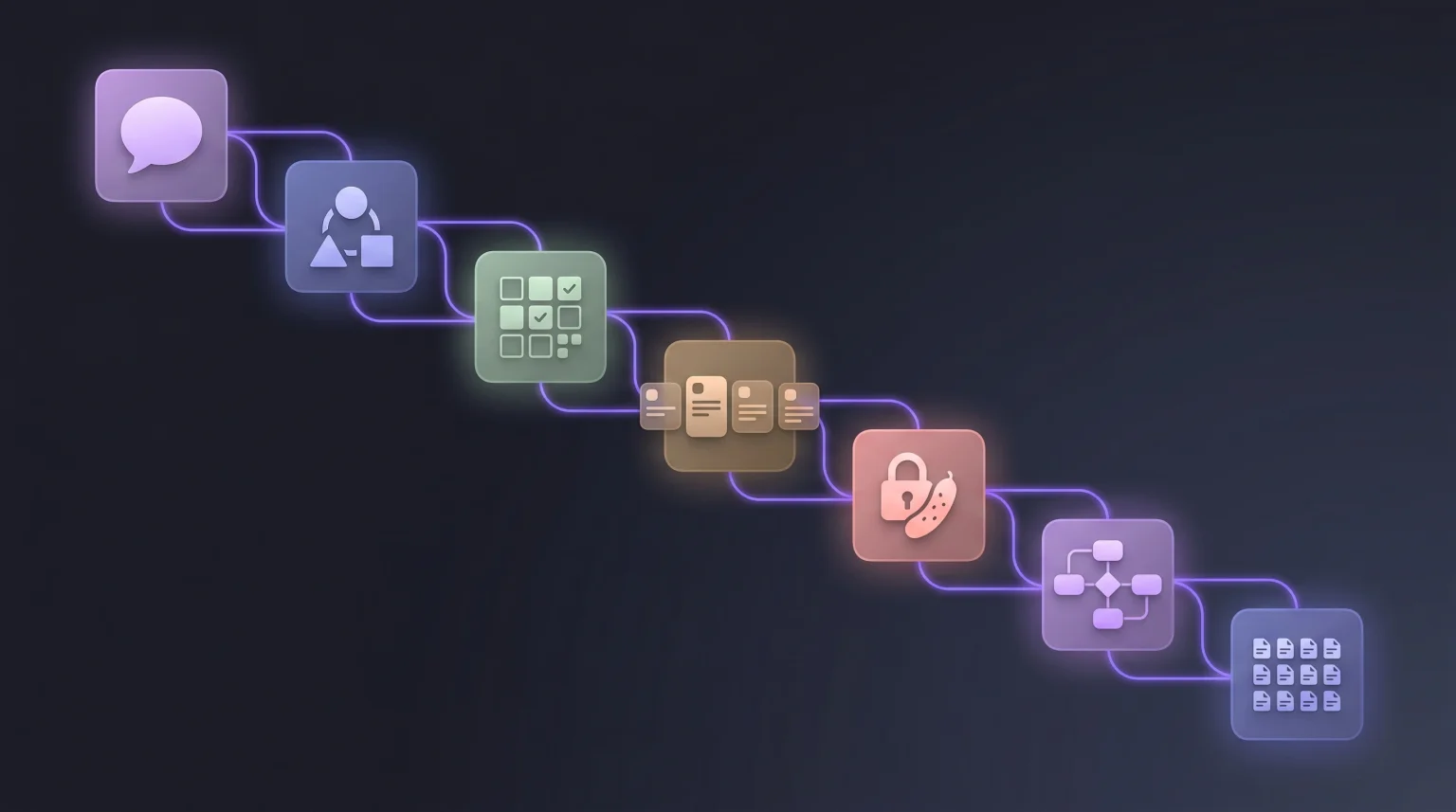
| Stage | Input | Output | Model tier |
|---|---|---|---|
| 1. Summary | Freeform description | 200 to 400 word project summary | Fast |
| 2. Personas | Summary | 3 personas with goals, pains, quote | Fast |
| 3. Features | Summary and personas | MoSCoW-prioritised feature list | Fast |
| 4. User stories | Features and personas | INVEST-format stories | Reasoning |
| 5. Acceptance criteria | User stories | Gherkin per story | Reasoning |
| 6. Database schema | Features and stories | ERD plus SQL DDL | Reasoning |
| 7. Pages, components and file tree | Stories and schema | Page inventory, shared components, file tree | Fast |
I have deliberately written "fast" and "reasoning" rather than naming models, because specific model names date faster than anything else in a post like this. The distinction that matters is durable: stages 1, 2, 3 and 7 are structured transformation work that a cheap fast model handles well, while 4, 5 and 6 need actual reasoning and degrade noticeably on a cheap model.
Routing correctly matters more for cost than for quality. Running every stage on a frontier reasoning model works fine and costs several times more than it needs to.
Stage 1: the summary
Start with a natural description, and be specific about the user, the problem and the outcome. Vague inputs produce vague specs, and no amount of downstream structure recovers from a thin stage one.
Weak:
Build me an app that helps freelancers.
Strong:
Build a web app that helps freelance designers track and visualise client feedback across multiple projects. The core pain: clients leave feedback scattered across email, Slack, and Figma comments, and designers lose hours reconciling it. Target users bill $50 to $200 an hour and juggle 3 to 10 active projects. It must work without clients having to sign up.
Template:
Given this product description: <PASTE IDEA HERE>

Write a 300-word project summary covering:
- The specific target user: role, context, tools they use today
- The concrete pain being solved, with one realistic example scenario
- The core outcome the product delivers
- Non-goals: things we explicitly will not build
- Initial constraints: stack preferences, compliance needs, rough scale

Output as plain prose. No headings, no bullet points.
The "plain prose" instruction is doing real work. Dense paragraphs survive the downstream stages better than bullet lists, because bullets tempt the model to drop the connective context that made the points make sense. The non-goals line matters too: in spec-driven development, what you will not build is as much a part of the contract as what you will.
Stage 2: personas
Feed the summary in and push hard for specifics.
Here is a product summary:

<PASTE STAGE 1 OUTPUT>

Generate 3 distinct user personas. For each:
- Name (realistic, not "User A")
- Role, company size, years of experience
- Daily tools they use, by product name
- Top 3 goals related to this product
- Top 3 pains this product would solve
- One representative quote they would actually say
- A one-line "why they matter"

Output as JSON:
{ "personas": [{ "name": string, "role": string,
  "companySize": string, "experience": string, "tools": string[],
  "goals": string[], "pains": string[], "quote": string,
  "whyTheyMatter": string }] }
Demanding JSON is not stylistic. It forces stable identifiers that later stages can reference, which is the entire mechanism that stops the linking problem described above.
For the deeper version of this stage, including the audit that catches invented personas, see the persona generator guide, or try the free Persona Generator.
Stage 3: features with MoSCoW priority
Features bridge personas and stories. Each one should be roughly three to five stories' worth of work.
Product summary:
<PASTE STAGE 1>

Personas:
<PASTE STAGE 2 JSON>

Generate a feature list serving these personas. For each feature:
- Name
- One-sentence description
- Which personas it primarily serves, by name
- MoSCoW priority: Must / Should / Could / Won't
- T-shirt size: S / M / L / XL
- Dependencies on other features

Rules:
- 8 to 15 features total
- Every Must is genuinely required for a minimum lovable product
- No feature overlaps another
- Any feature serving no persona gets cut, not downgraded

Output as JSON array.
That last rule is the one I would not drop. A feature nothing in your persona set wants is either a missing persona or a feature you invented because it sounded good, and both are worth catching here rather than in stage 7.
Stage 4: user stories
This is where most single-prompt outputs fall apart. Demand INVEST and tie every story to a named persona and a named feature.
Features:
<PASTE STAGE 3 JSON>

Personas:
<PASTE STAGE 2 JSON>

For each Must or Should feature, generate 3 to 5 user stories
following INVEST: Independent, Negotiable, Valuable, Estimable,
Small, Testable.

Format: "As <persona name>, I want <action>, so that <outcome>."

For each story also give:
- persona (must be a named persona from above)
- feature (must be a named feature from above)
- T-shirt size: S / M / L
- scope: frontend / backend / fullstack
- any story it depends on

Output as JSON array.
Named persona references are load-bearing. Everything downstream, from QA to a tracker import to an AI coding agent, uses them to filter work, and a story that says "the user" cannot be filtered by anything.
The INVEST guide covers what good looks like here, including how to pressure-test what the model gives back. The free User Story Generator runs this stage on its own if you want to see the output shape first.
Stage 5: acceptance criteria
Three to five criteria per story, in Given/When/Then, categorised.
For each user story below, generate 3 to 5 acceptance criteria
in Gherkin format:

<PASTE STAGE 4 JSON>

Rules:
- Format: Given <preconditions> When <action> Then <result>
- Every story gets at least one happy path, one edge case,
  and one failure state
- Tag each: happyPath / edgeCase / failureState
- Failure states must cover unauthenticated access, invalid input,
  server error, and rate limit where applicable
- Edge cases must cover empty state, max limits, concurrent actions
- Specific values only, never placeholders

Output as JSON array, keyed by story name.
The three-category taxonomy is what separates criteria you can test from criteria that decorate a ticket. It also forces the model onto the negative paths, which it otherwise skips by default. What LLMs skip in acceptance criteria goes deeper on the categories that go missing, and Gherkin acceptance criteria for PMs covers the syntax.
In spec-driven development this is the stage that makes the spec enforceable. A criterion like "Given a client opens a share link that has expired, When the page loads, Then they see 'This link has expired' and a button to request a new one" is something an agent can build against and a reviewer can check. "Handle expired links gracefully" is neither.
Stage 6: database schema
Until you know your entities, you cannot sensibly design pages or components, because you do not yet know what the app is about. That is why schema comes before pages, even though pages feel more tangible.
Given these features and user stories:
<PASTE STAGE 3 + STAGE 4>

Generate a relational database schema:
1. Identify every entity in the stories, including implicit ones
   like session, notification, and invite
2. For each entity, produce a table with column name, Postgres
   type, nullability, default, and primary key marker
3. Relationships: foreign keys with explicit ON DELETE behaviour,
   and junction tables for every many-to-many
4. Indexes: one for every column used in a WHERE, JOIN, or
   ORDER BY by a user story
5. Constraints: encode uniqueness rules stated in the stories as
   UNIQUE, not as comments
6. Audit trail: if any story mentions history or activity, add
   created_at and updated_at plus a versioning strategy

Do not store derived values. If a story mentions a computed figure
(a count, a total, a streak), note it as a query instead of a column.

Output:
1. A Mermaid erDiagram block
2. A SQL DDL block, executable against Postgres
Without those explicit rules, three things go missing every time. ON DELETE behaviour, which turns into a surprise in production. Indexes, which means the app works in development and falls over in production. And audit columns, which you will want the first time you have to debug something. Stored derived values and missing junction tables are the other two reliable failure modes, which is why the prompt names them.
This is the stage I would slow down on. Everything else in the pipeline is cheap to regenerate. The schema is the one that gets more expensive to change every day you are live. From user stories to database schema works a full example end to end and covers the audit, and the Database Schema Generator turns stories into an ERD and PostgreSQL DDL for free.
Stage 7: pages, components and file tree
Stage 7 turns the spec into an architecture, and it has its own section below because the ordering inside it matters as much as the ordering of the stages.
Free resource
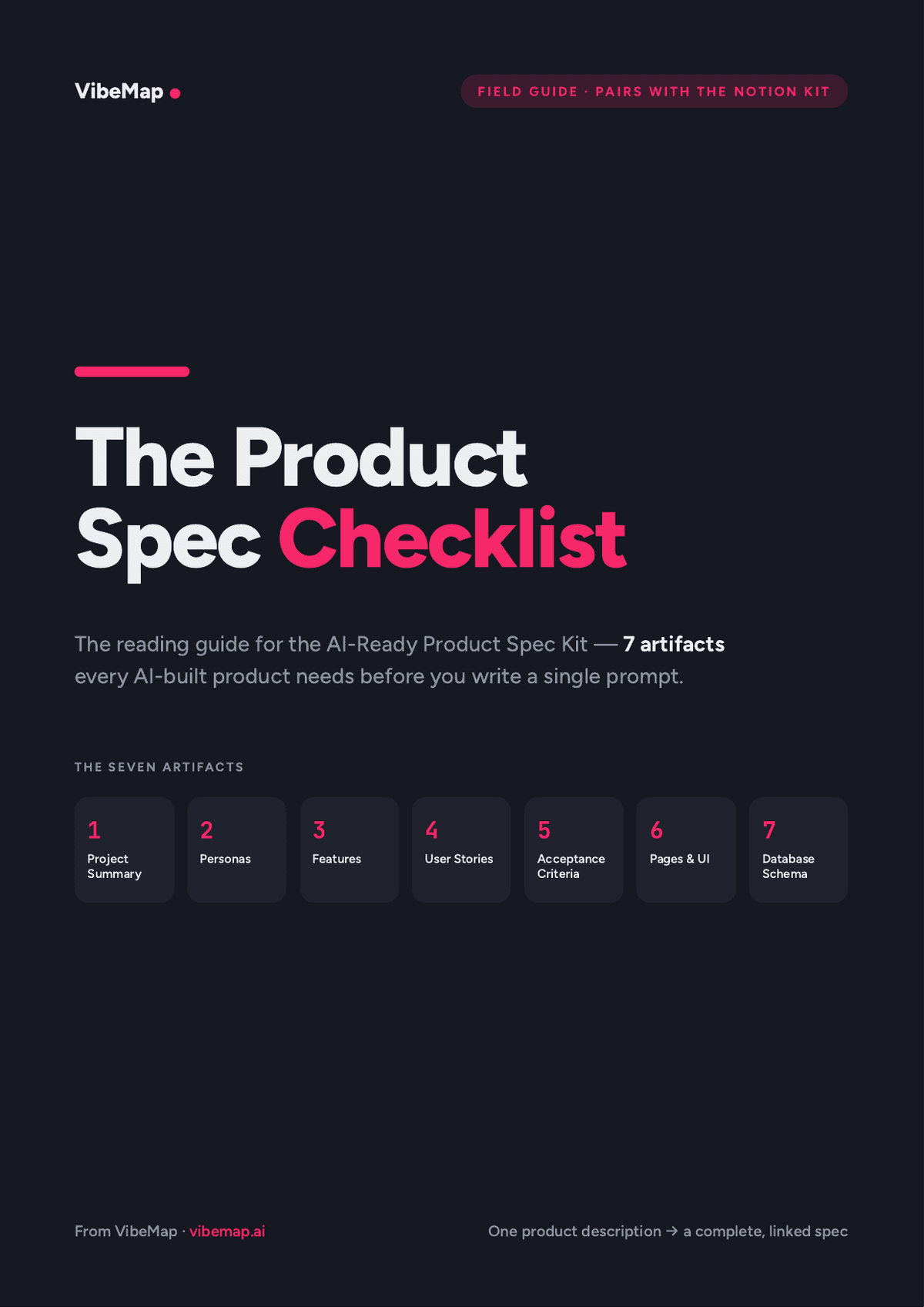
Free: the Notion spec kit + printable checklist AI coding tools can actually follow.
From spec to architecture: pages, components and file structure
Ask an LLM for "a complete architecture" in one prompt and the output looks entirely reasonable:
/pages
  /dashboard.js
  /settings.js
/components
  /Sidebar.js
  /ProjectCard.js
/db/schema.sql
Copy that into a fresh repo, try to run it, and three problems surface within about a minute.
Imports point at nothing. ProjectCard.js imports useProjects from /hooks/useProjects.ts, which was never generated.
Components got reinvented. There is a <Sidebar /> on the dashboard and a <NavBar /> on settings. Same UI element, designed twice, independently.
The schema is decorative. It defines a projects table with a status column that nothing in the UI ever reads or writes.
None of these are model failures. They are the consequence of asking for architecture before the artifacts it should be derived from exist. Architecture is downstream of stories, features and data. Starting with the file tree is starting at the end.
The order is: schema (stage 6, above), then pages, because each page exists because a story requires it, then shared components, extracted after pages are known so duplication becomes visible, then the file tree, derived from pages and components and never invented.
Pages
Given these user stories:
<PASTE STAGE 4>

And this schema:
<PASTE STAGE 6 OUTPUT>

Generate a complete page inventory. For each page:
- Route, for example /dashboard, /projects/:id, /settings/billing
- Purpose, one sentence
- Which stories this page satisfies, by name
- Which schema tables it reads from
- Which schema tables it writes to
- Required role: public / authenticated / admin
- Required states: empty, loading, error, populated

Rules:
- Every story is satisfied by at least one page
- No page exists without at least one story justifying it
- Admin-only pages are grouped separately

Output as JSON array.
The "which stories this page satisfies" field is the load-bearing one. Requiring it means the model cannot produce pages with no reason to exist, because it would have to name a story that does not exist to justify them.
The required-role field is worth as much. An unguarded admin route is one of the more common and more dangerous outcomes of generated code, covered in why AI code breaks in production, and declaring the role at the inventory stage means the code generator has something to check against.
Shared components
The trick to a clean architecture is naming the shared components explicitly. Without that, the model writes the same <DataTable> five times for five pages, because each generation is a fresh conversation.
Given these pages:
<PASTE PAGE INVENTORY>

Identify shared components. A shared component is:
- Used by 2 or more pages, AND
- Has identical or near-identical functionality across them

For each:
- Name, PascalCase
- Purpose, one sentence
- Which pages use it
- Props with TypeScript types
- States it must support: loading, error, empty, populated
- Whether it accepts children or is a leaf

Rules:
- Aim for 8 to 15 shared components maximum. Over-abstraction is
  worse than duplication.
- Never promote something used by only one page
- For each, explain in one line why it is shared rather than duplicated

Output as JSON array.
The cap matters more than it looks. Asked for a component inventory with no ceiling, models promote every small UI element to shared status, and you end up with forty "shared" components of which twelve are used once. In a medium app, 8 to 15 genuinely shared components is realistic.
Over-abstraction is the harder judgment call, and people get it wrong in both directions. Four patterns I would reject:
A universal <DataTable>. A table abstraction that tries to serve every entity serves none of them well. Prefer per-entity tables, <ProjectsTable> and <UsersTable>, sharing smaller primitives like <Pagination> and <SortableColumn>.
A universal <FormField> wrapper. Every form has different validation, error handling and accessibility requirements. A single wrapper becomes a soup of conditional props within about three forms.
A <Modal> owning its own open state. Makes shared usage fragile. Prefer controlled modals where the parent owns state.
A <Layout> doing both site chrome and route logic. Split it: <SiteHeader>, <SiteFooter>, <AuthGuard>, each with one job.
The test: would a new engineer joining the project understand when to use the shared component and when to duplicate? If the rule is not obvious, the abstraction is wrong, however much duplication it removes on paper.
File tree
Now the tree, which is purely derivative of the layers above.
Generate a file tree for a Next.js App Router project with these
pages and components:
<PASTE PAGE INVENTORY + SHARED COMPONENTS>

Rules:
- App Router conventions: app/[route]/page.tsx
- Shared components grouped in /components/<category>/ where
  category is one of: ui, forms, layout, data-display, feedback
- Server actions in /lib/actions/<entity>.ts
- Generated database types in /database_types.ts, marked as generated
- Manual TypeScript types in /types/<entity>.ts
- Hooks in /lib/hooks/<entity>.ts
- API routes only for things that cannot be server actions:
  webhooks, public endpoints

Every file path gets a one-line purpose comment.

Output as a tree structure with comments.
Stating the conventions explicitly is not optional. Without "App Router" and "server actions over API routes," models default to Pages Router patterns, because those dominate the training data by volume. This is a general property worth internalising: the model's default is the most common pattern in its training set, not the current best practice, and the gap grows every time a framework ships a major version. Swap the conventions for your own stack; the point is that they are written down.
File-tree mistakes worth checking for:
- Everything in one flat
/componentsdirectory. Fifty files in one folder is unnavigable. Group by category. - API routes duplicating server actions. In App Router, server actions handle most mutations. API routes are for webhooks, third-party integrations and public endpoints.
/utils/as a dumping ground. Past about five helpers, split by domain./types/duplicating/database_types.ts. Generated database types never live in/types/, and manual types live only there. Mixing them causes drift TypeScript will not catch, because both files compile.- Tests in a separate
/tests/tree rather than co-located. Co-located tests produce fewer orphans when files move.
A spec-driven development example
Here is one thread through the freelance-designer feedback app from stage 1, to show what "linked" means in practice.
Persona:   Maya, freelance brand designer, 6 active clients,
           lives in Figma and Gmail
Feature:   Client share links (Must, M), serves Maya
Story:     As Maya, I want to send a client a link to a project's
           feedback board, so that they can comment without
           creating an account.
Criteria:  Given Maya has a project with 3 open comments
           When she clicks "Copy share link"
           Then a link valid for 30 days is copied to her clipboard
           [happyPath]

           Given a client opens a share link older than 30 days
           When the page loads
           Then they see "This link has expired" and a
           "Request a new link" button
           [failureState]
Schema:    share_links (id, project_id -> projects.id ON DELETE
           CASCADE, token UNIQUE, expires_at, created_at)
           index on token
Page:      /share/:token, role: public, states: populated,
           expired, error. Satisfies the story above.
Every line points at the one above it. If Maya's clients turn out to need accounts after all, you know exactly which story, criteria, table and page to revisit. If someone proposes a /share/:token/admin page, there is no story behind it, which is the conversation to have before anyone builds it.
What this costs in practice
Running all seven stages by hand takes roughly two to three hours for a medium-complexity product, with the architecture layers taking a good share of that. You will do it properly the first time, adequately the second, and by the fifth project you will be skipping stages.
That is what happens to any manual process with a lot of copy-paste in it. The intellectual work is not the hard part. The bookkeeping is. You edit a persona in stage 2 and forget that stage 4 and stage 7 both referenced it, and now your spec contradicts itself in two places you will not find until someone builds from it. Miss one entity when you paste stories into the schema prompt and the page inventory references a table that no longer exists.
That is the honest case for tooling: not that a tool prompts better than you do, but that it remembers what depends on what. VibeMap runs these same stages with the output stored as linked records rather than pasted text, so editing a feature or story flags the stories and acceptance criteria written from it, and a conversational agent can refine any artifact in place. When the spec is ready, your own coding agent can read it over MCP, or you can export it as markdown.
If you want something in between, the free AI-Ready Product Spec Kit is a Notion template and PDF checklist with the same linked structure, filled in by hand. (Despite the similar name, it is a VibeMap template, not GitHub's Spec Kit.)
Common pitfalls
Skipping stage 1 because the summary feels obvious. It carries the most context forward, and skimping there compounds through every stage after it.
Using one model for everything. Persona generation does not need a frontier reasoning model, and using one for the scaffolding stages multiplies your cost for no measurable quality gain.
Not demanding JSON. Prose output invites the model to quietly invent a new persona mid-story. Structure prevents it.
Starting with the file tree. It is the last projection of decisions made earlier. Projecting before deciding produces a shape with nothing behind it.
Treating the spec as a one-off. In spec-driven development the spec is a living document. When the code reveals something the spec got wrong, fix the spec, then regenerate. If the code and spec disagree and you only fix the code, you are back to vibe coding with extra paperwork.
Accepting the spec as good enough and going straight to code. Nearly every generated spec is missing at least one non-functional requirement: auth, rate limits, data retention. Do a deliberate pass for those before you generate a line of code.
FAQ
What is spec-driven development in AI?
It is the practice of writing a structured specification (requirements, acceptance criteria, data model and architecture) before an AI coding agent writes any code, then having the agent build against that spec and checking its output against the acceptance criteria. The spec replaces ad-hoc prompting as the source of truth.
What does GitHub Spec Kit do?
GitHub Spec Kit is an open-source toolkit that adds spec-driven development slash commands to AI coding agents such as Claude Code, GitHub Copilot, Cursor and Gemini CLI. You install the specify CLI, and the commands (/speckit-constitution, /speckit-specify, /speckit-plan, /speckit-tasks, /speckit-implement, /speckit-converge) take a feature from requirements to a plan, tasks and code, all as files in your repository. The full guide covers setup and an example.
What are the main spec-driven development tools?
The ones people most often compare are GitHub Spec Kit (open-source CLI and slash commands), Kiro (AWS's spec-driven tool, which writes requirements.md, design.md and tasks.md), OpenSpec (an open-source, change-per-folder CLI suited to existing code) and VibeMap (a hosted planner that produces a linked spec before a repository exists). The comparison table above sets them side by side.
Is spec-driven development just waterfall again?
No. Waterfall fixed requirements for months. In spec-driven development the spec is small, linked and revised continuously, and regenerating a stage takes minutes. What carries over from older practice is the idea that you agree on behaviour before you build it.
Do I need a tool to do spec-driven development?
No. Every stage in this post works with a chat model and copy-paste. Tools help with the bookkeeping, which is where manual SDD tends to break down on larger projects.
When should I skip it?
On throwaway prototypes, learning projects and anything you would happily delete. Spec-driven development pays off when the code will hold real users' data or be maintained by more than one person.
Related reading
- AI product planning: the complete guide, the pillar covering the category end to end.
- GitHub Spec Kit: what it is, how to use it, and what it leaves out, a hands-on guide to the CLI and its commands.
- How to write user stories with INVEST, a deeper look at stage 4.
- AI acceptance criteria, a deeper look at stage 5.
- From user stories to database schema, a deeper look at stage 6.
- Why AI-generated code breaks in production, the failure modes this pipeline is designed to prevent.
- VibeMap vs ChatGPT for product planning, on when a general LLM is genuinely enough.
Sources and further reading
- GitHub, github/spec-kit: the Spec Kit repository and documentation.
- Kiro, Specs documentation: the three-file spec workflow.
- Fission AI, OpenSpec: the change-based spec workflow and supported assistants.
- GitHub Blog, Spec-driven development with AI: Get started with a new open source toolkit: GitHub's introduction to Spec Kit.
- Mike Cohn, User Stories Applied: origin of the INVEST criteria.
- Cucumber, Gherkin Reference: Given/When/Then syntax.
- Agile Business Consortium, MoSCoW Prioritisation: the canonical definition.
- Next.js, App Router documentation: the conventions used in the file-tree template.
- PostgreSQL, Data Types: the right types to use, and why TEXT is rarely the answer.
- Robert C. Martin, Clean Architecture: the layering principles behind the schema-first ordering.
- Martin Fowler, Patterns of Enterprise Application Architecture: component-level abstraction guidelines.
- Stack Overflow, 2024 Developer Survey, AI section: AI tool adoption data.