GitHub Spec Kit is an open-source toolkit that makes your AI coding agent work from a written specification instead of a loose prompt. You install a command-line tool called specify, run it once in your project, and your agent gains a set of slash commands that walk a feature from requirements to a plan, a task list and working code. It is MIT-licensed, works with more than 40 coding agents, and at the time of writing (3 November 2026) the current release is v1.3.0.
This guide covers what you get, how to install it, the commands in the order you run them, a worked example, and where it stops. It is based on the project's own repository and documentation, checked on the date above. The project ships quickly, so treat the command names as a snapshot and confirm them against the repository before you copy anything.
What is GitHub Spec Kit?
Spec Kit is a toolkit for spec-driven development: the written spec is the source of truth, and the code is generated from it and checked against it. Its repository describes it as giving AI coding agents "structured processes, reusable templates, and documented outcomes".
Three things are worth separating, because the name covers all of them:
- The CLI.
specifyinstalls the toolkit into a project and wires it to the coding agent you use. - The commands. Slash commands (agent "skills") you run in your agent's chat, such as
/speckit-specify. These are not terminal commands. - The templates and files. The markdown the commands read and write inside your repository.
Spec Kit is not an MCP server, a hosted service, or a coding agent in its own right. It sits on top of the agent you already use. It also is not the only thing with this name: our free AI-Ready Product Spec Kit is a separate Notion template and PDF checklist, unrelated to GitHub's.
Besides the main spec-driven process, the repository bundles two more as optional extensions, one for bug fixing and one for assessing whether an idea deserves investment. You add them with specify extension add bug or specify extension add assess. Everything below is about the core process.
How do you install GitHub Spec Kit?
You need Python 3.11 or newer, uv, and a supported coding agent. It runs on Linux, macOS and Windows. Then, in a terminal:
uv tool install specify-cli
specify init my-project --integration copilot
cd my-project
--integration picks your agent. The example uses GitHub Copilot; run specify init without the flag and it asks you to choose. The repository includes integrations for more than 40 agents, including Claude Code, Cursor, Gemini CLI and Codex. Open your agent in the project directory and the commands are there.
Two practical notes from the docs. First, the helper scripts come in Bash, PowerShell and Python variants, and specify init asks which you want, or you can pass --script sh|ps|py. Second, if you are running it somewhere with no terminal prompt, such as CI, add --non-interactive so it takes documented defaults instead of waiting for a keypress.
The commands, in order
Spec Kit's process is a sequence of commands you run one at a time, reading each result before moving on. The syntax below is GitHub Copilot's default (/speckit-specify). Other agents spell it differently, and older tutorials show a dot (/speckit.specify), so check the repository's command-invocation page for yours.
There are two paths. The shorter one suits a small feature:
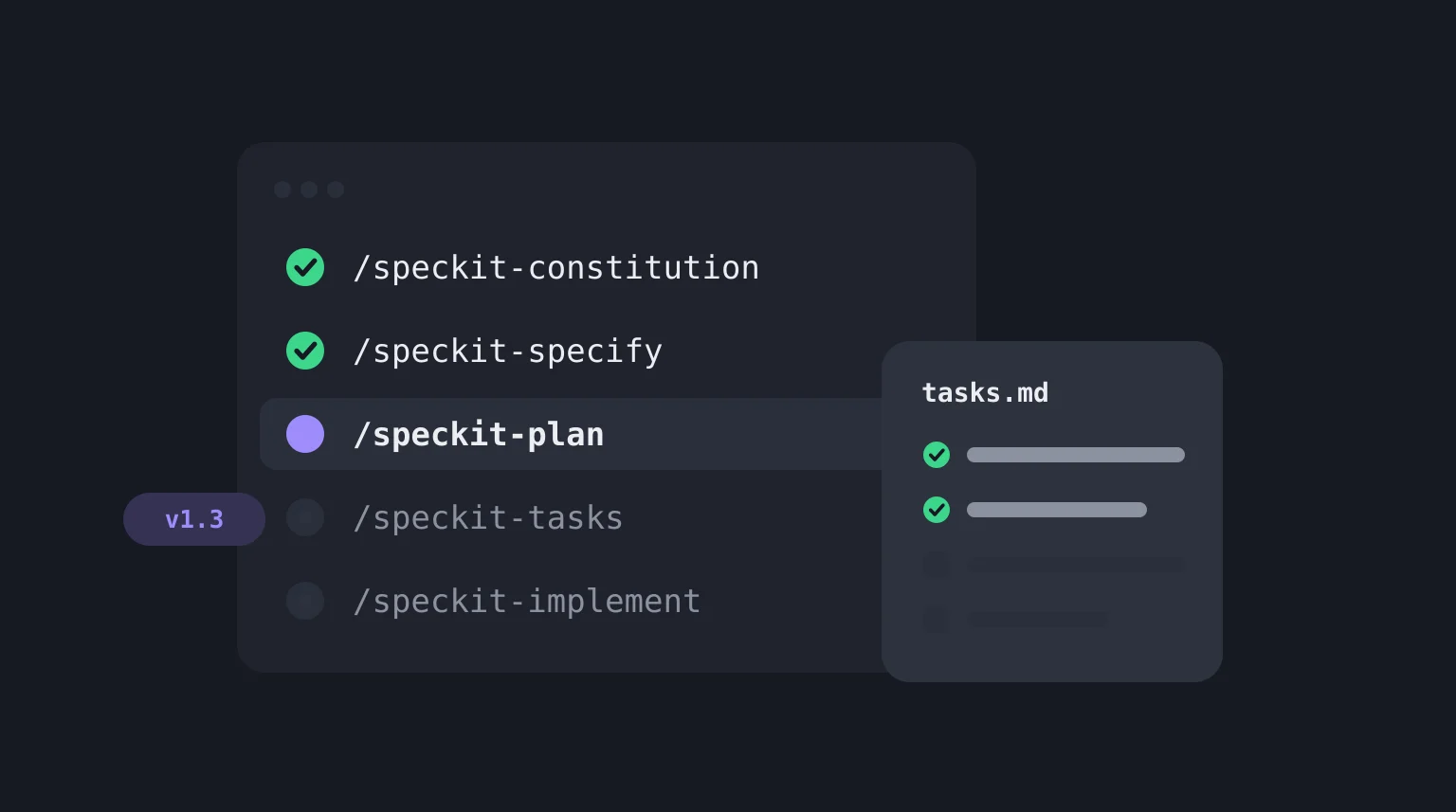
/speckit-specify/speckit-plan/speckit-tasks/speckit-implement/speckit-converge
The full path adds three quality gates and is the one for anything going to production:
| Step | Command | What it does |
|---|---|---|
| 1 | /speckit-constitution |
Sets the project's guiding principles, once per project. Every later step is checked against them. |
| 2 | /speckit-specify |
Turns a plain-language description into a feature specification. Describe the what and why, not the tech stack. |
| 3 | /speckit-clarify |
Asks targeted questions about anything underspecified and folds your answers back into the spec. |
| 4 | /speckit-plan |
Generates the design artifacts. This is where you name the stack and architecture. |
| 5 | /speckit-checklist |
Generates a quality checklist for the spec, which the docs describe as "unit tests for your requirements". |
| 6 | /speckit-tasks |
Produces a dependency-ordered tasks.md. |
| 7 | /speckit-analyze |
Read-only. Reports conflicts, gaps and ambiguities across spec.md, plan.md and tasks.md. |
| 8 | /speckit-implement |
Executes the tasks in order. |
| 9 | /speckit-converge |
Checks the code against the spec, plan and tasks, and appends new tasks if it finds gaps. Run implement and converge again until it reports Converged. |
The split between step 2 and step 4 is the idea that matters most. The specification says what and why. The plan says how. Mixing them, by pasting your tech stack into the spec, is the most common way to waste the structure.
Spec Kit tracks the feature you are working on through a small state file (.specify/feature.json), not through your Git branch, so it does not require Git.
A worked example
Here is how the commands would run for a small feature. This is the freelance-designer feedback app from the spec-driven development guide, where clients leave comments through a share link without creating an account. The prompts are mine; what each command produces is described from the project's documentation, not pasted output.
/speckit-constitution Every user-supplied value is validated on the server.
Public pages never expose another client's data. Every feature ships with tests.

/speckit-specify Freelance designers share a project's feedback board with a
client through a link. The client can read and comment without signing up.
Links expire after 30 days, and an expired link offers a way to request a
new one.

/speckit-clarify Focus on what happens when a link expires and who can
revoke a link.

/speckit-plan Next.js App Router with Postgres. Store share links in their
own table with a unique token and an expiry timestamp.

/speckit-tasks

/speckit-analyze

/speckit-implement

/speckit-converge
The constitution is where the "never leak another client's data" rule lives, so it applies to every later step without being repeated. The specification stays free of Next.js and Postgres. clarify is where the expiry question gets pinned down before anyone plans around a guess. analyze reads the spec, plan and tasks together and flags where they disagree, for example a task for an admin page that no requirement asks for. And converge is the loop that keeps you honest about "done": it compares what was built to what was specified, not to what the agent remembers.
Can you use it on an existing project?
Yes. The repository has a dedicated guide, Adopting Spec Kit in an Existing Project, and the README lists it as a standard setup path. Run specify init in the repository, set a constitution that reflects the conventions the code already follows, and use the commands for new features from there. Writing a spec for code that already exists is a separate job, and Spec Kit does not do it for you.
Does it work with Claude Code?
Yes. Claude Code is one of the supported integrations, so specify init can set it up and the commands run in a Claude Code session. Cursor, Gemini CLI, Codex and GitHub Copilot are also supported. The tool does not care which agent you pick, and you can switch agents later using the CLI's integration commands.
What Spec Kit leaves out
Spec Kit is good at one job: keeping a coding agent disciplined once someone has decided what to build. A few things sit outside that job, and it helps to know them going in.
The quality of the spec is still yours. /speckit-specify turns your description into a specification, and a thin description gives you a thin one. clarify and checklist help, but they ask questions of whatever you started with. If you do not yet know who the product is for or what the main flows are, the first problem is upstream of the tool.
The artifacts are markdown files, not linked records. The spec, plan and tasks live in your repository and are checked for consistency with each other. That works well for engineers who review changes in pull requests. It is harder for a founder, PM or client who needs to review what is being built without opening a repo, and a markdown file does not tell you which acceptance criterion a table exists to satisfy.
It starts from an engineer with an agent. There is no step for personas, feature prioritisation or a data model before the first command, because that is a different stage of the work.
None of that is a criticism of the tool. It describes where the tool's job begins. If you want to compare it with the other options, the spec-driven development tools table sets Spec Kit beside Kiro, OpenSpec and VibeMap.
VibeMap, which I build, covers the stage before Spec Kit's first command. It turns a plain-English idea into linked personas, features, user stories, acceptance criteria, a database schema and pages, and you can download the PRD or the development spec as markdown to use as the input to /speckit-specify. Our MCP server also lets an agent read the spec directly. The two work together, and neither requires the other. There is a longer comparison in VibeMap vs GitHub Spec Kit.
If you want to see what the step before the specification looks like without signing up, the free User Story Generator and Acceptance Criteria Generator produce the two pieces /speckit-specify benefits from most.
FAQ
What does GitHub Spec Kit do?
It adds a spec-driven development process to your AI coding agent. You install the specify CLI, and your agent gets slash commands that take a feature from a written specification to a technical plan, a task list and implemented code, with checks along the way. Everything is stored as files in your repository.
How do I use GitHub Spec Kit?
Install it with uv tool install specify-cli, run specify init in your project and pick your coding agent, then open the agent and run the commands in order: /speckit-constitution once, then /speckit-specify, /speckit-plan, /speckit-tasks, /speckit-implement and /speckit-converge for each feature. Review each result before running the next command.
How do I install GitHub Spec Kit?
You need Python 3.11+, uv and a supported coding agent. Run uv tool install specify-cli, then specify init <project> --integration <agent>. The installation guide in the repository also covers pipx, one-off uvx runs, pinned releases and offline setups.
Is Spec Kit an MCP?
No. It is a command-line tool plus a set of templates and agent commands. It does not run as an MCP server. It works through the slash commands your coding agent exposes after specify init.
Is GitHub Spec Kit free?
Yes. It is open source under the MIT license. You still pay for whatever coding agent and model you run it with.
What is the difference between Spec Kit and OpenSpec?
Both are open-source command-line tools that add spec-driven commands to coding agents. Spec Kit runs a constitution, specify, plan, tasks, implement and converge sequence for each feature. OpenSpec organises work as a folder per change, with a proposal, spec changes, design and tasks, and archives the change when it is done. OpenSpec positions itself for existing codebases as well as new ones. The comparison table also covers Kiro and VibeMap.
Related reading
- Spec-driven development: what it is and how to do it with AI, the method behind the tool, with a seven-stage pipeline.
- How to write user stories with INVEST, for the stories that feed
/speckit-specify. - Acceptance criteria examples, for the "how will we know it works" half of a specification.
- Why AI-generated code breaks in production, the failures a spec is meant to prevent.
Sources and further reading
- GitHub, github/spec-kit: the repository, README and releases. Command names and the v1.3.0 release were checked here on 3 November 2026.
- GitHub, Spec-Driven Development Quickstart: the recommended process and per-command descriptions.
- GitHub, Adopting Spec Kit in an Existing Project: setup for repositories that already contain code.
- GitHub Blog, Spec-driven development with AI: Get started with a new open source toolkit: GitHub's introduction to the toolkit.
- Fission AI, OpenSpec: the change-based alternative.
- Kiro, Specs documentation: the three-file spec workflow.