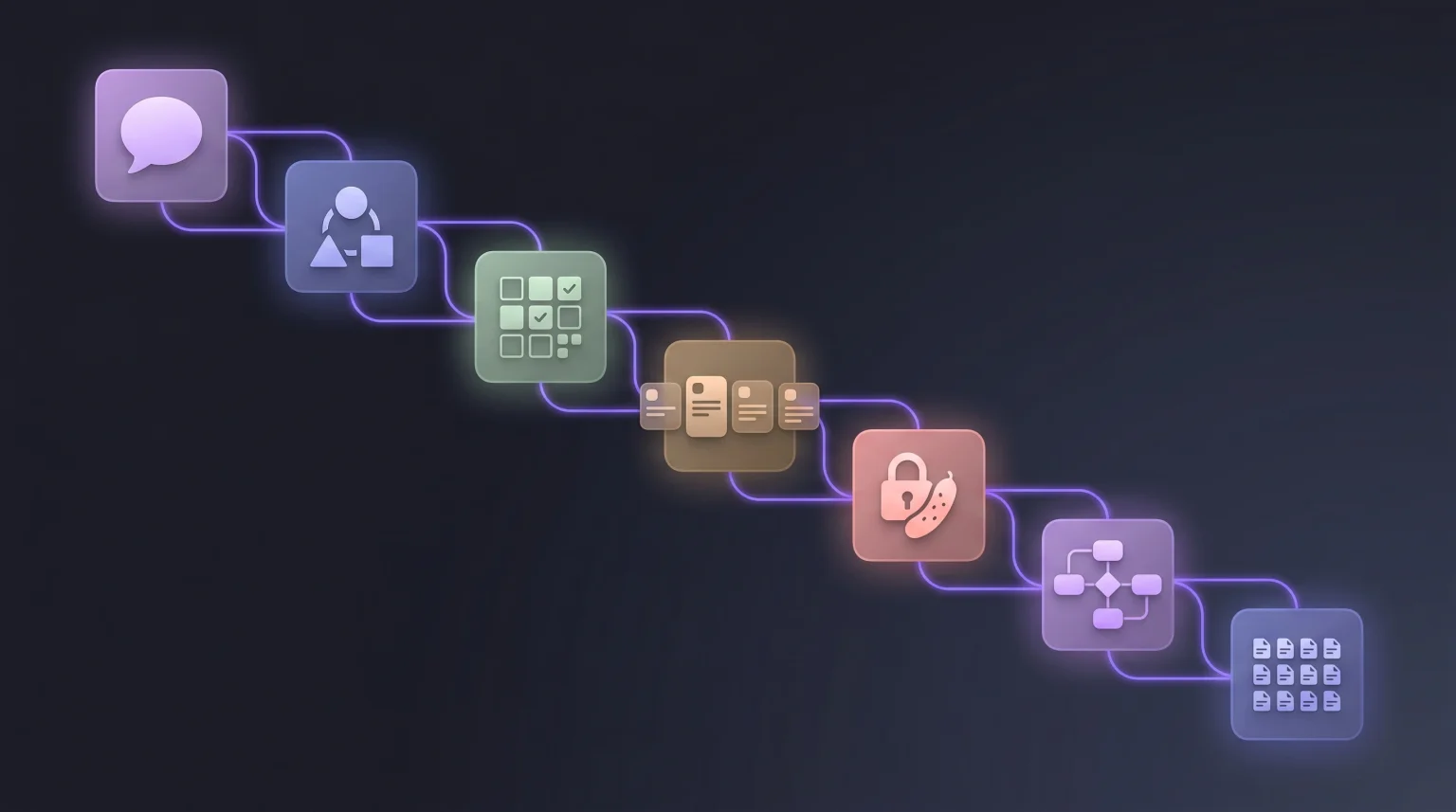
The instinct is to paste your product idea into ChatGPT and ask for a complete app specification. What comes back is technically what you asked for: a wall of text with sections labelled Personas, Features, Stories, Schema.
Then you try to use it, and three things go wrong.
Nothing links. A persona called "Alex the Solopreneur" appears in section one and has vanished by section three, where the stories all reference a nameless "user." Ask which stories serve Alex and there is no answer.
The granularity is incoherent. Four high-level features, 47 stories, three database tables. No way to tell which story belongs to which feature, or which schema field any of it needs.
It drifts. Run the same prompt tomorrow and you get different personas. Nothing persists, so every regeneration is a fresh document you have to reconcile by hand.
These are not prompt quality problems. They are structural, and the fix is to run the work in stages, with each stage's output serialised and passed explicitly into the next.
The seven stages
| Stage | Input | Output | Model tier |
|---|---|---|---|
| 1. Summary | Freeform description | 200 to 400 word project summary | Fast |
| 2. Personas | Summary | 3 personas with goals, pains, quote | Fast |
| 3. Features | Summary and personas | MoSCoW-prioritised feature list | Fast |
| 4. User stories | Features and personas | INVEST-format stories | Reasoning |
| 5. Acceptance criteria | User stories | Gherkin per story | Reasoning |
| 6. Database schema | Features and stories | ERD plus SQL DDL | Reasoning |
| 7. Pages and components | Stories and schema | Page inventory with shared components | Fast |
I have deliberately written "fast" and "reasoning" rather than naming models, because specific model names date faster than anything else in a post like this. The distinction that matters is durable: stages 1, 2, 3, and 7 are structured transformation work that a cheap fast model handles well, while 4, 5, and 6 need actual reasoning and degrade noticeably on a cheap model.
Routing correctly matters more for cost than for quality. Running every stage on a frontier reasoning model works fine and costs several times more than it needs to.
Stage 1: the summary
Start with a natural description, and be specific about the user, the problem, and the outcome. Vague inputs produce vague specs, and no amount of downstream structure recovers from a thin stage one.
Weak:
Build me an app that helps freelancers.
Strong:
Build a web app that helps freelance designers track and visualise client feedback across multiple projects. The core pain: clients leave feedback scattered across email, Slack, and Figma comments, and designers lose hours reconciling it. Target users bill $50 to $200 an hour and juggle 3 to 10 active projects. It must work without clients having to sign up.
Template:
Given this product description: <PASTE IDEA HERE>

Write a 300-word project summary covering:
- The specific target user: role, context, tools they use today
- The concrete pain being solved, with one realistic example scenario
- The core outcome the product delivers
- Non-goals: things we explicitly will not build
- Initial constraints: stack preferences, compliance needs, rough scale

Output as plain prose. No headings, no bullet points.
The "plain prose" instruction is doing real work. Dense paragraphs survive the downstream stages better than bullet lists, because bullets tempt the model to drop the connective context that made the points make sense.
Stage 2: personas
Feed the summary in and push hard for specifics.
Here is a product summary:

<PASTE STAGE 1 OUTPUT>

Generate 3 distinct user personas. For each:
- Name (realistic, not "User A")
- Role, company size, years of experience
- Daily tools they use, by product name
- Top 3 goals related to this product
- Top 3 pains this product would solve
- One representative quote they would actually say
- A one-line "why they matter"

Output as JSON:
{ "personas": [{ "name": string, "role": string,
  "companySize": string, "experience": string, "tools": string[],
  "goals": string[], "pains": string[], "quote": string,
  "whyTheyMatter": string }] }
Demanding JSON is not stylistic. It forces stable identifiers that later stages can reference, which is the entire mechanism that stops the linking problem from the top of this post.
For the deeper version of this stage, including the audit that catches invented personas, see the persona generator guide.
Stage 3: features with MoSCoW priority
Features bridge personas and stories. Each one should be roughly three to five stories' worth of work.
Product summary:
<PASTE STAGE 1>

Personas:
<PASTE STAGE 2 JSON>

Generate a feature list serving these personas. For each feature:
- Name
- One-sentence description
- Which personas it primarily serves, by name
- MoSCoW priority: Must / Should / Could / Won't
- T-shirt size: S / M / L / XL
- Dependencies on other features

Rules:
- 8 to 15 features total
- Every Must is genuinely required for a minimum lovable product
- No feature overlaps another
- Any feature serving no persona gets cut, not downgraded

Output as JSON array.
That last rule is the one I would not drop. A feature nothing in your persona set wants is either a missing persona or a feature you invented because it sounded good, and both are worth catching here rather than in stage 7.
Stage 4: user stories
This is where most single-prompt outputs fall apart. Demand INVEST and tie every story to a named persona and a named feature.
Features:
<PASTE STAGE 3 JSON>

Personas:
<PASTE STAGE 2 JSON>

For each Must or Should feature, generate 3 to 5 user stories
following INVEST: Independent, Negotiable, Valuable, Estimable,
Small, Testable.

Format: "As <persona name>, I want <action>, so that <outcome>."

For each story also give:
- persona (must be a named persona from above)
- feature (must be a named feature from above)
- T-shirt size: S / M / L
- scope: frontend / backend / fullstack
- any story it depends on

Output as JSON array.
Named persona references are load-bearing. Everything downstream, from QA to a Linear import to an AI coding agent, uses them to filter work, and a story that says "the user" cannot be filtered by anything.
The INVEST guide covers what good looks like here, and the critique loop covers how to pressure-test what comes back.
Free resource
Free: the Notion spec kit + printable checklist AI coding tools can actually follow.
Stage 5: acceptance criteria
Three to five criteria per story, in Given/When/Then, categorised.
For each user story below, generate 3 to 5 acceptance criteria
in Gherkin format:

<PASTE STAGE 4 JSON>

Rules:
- Format: Given <preconditions> When <action> Then <result>
- Every story gets at least one happy path, one edge case,
  and one failure state
- Tag each: happyPath / edgeCase / failureState
- Failure states must cover unauthenticated access, invalid input,
  server error, and rate limit where applicable
- Edge cases must cover empty state, max limits, concurrent actions
- Specific values only, never placeholders

Output as JSON array, keyed by story name.
The three-category taxonomy is what separates criteria you can test from criteria that decorate a ticket. It also forces the model onto the negative paths, which it otherwise skips by default. What LLMs skip in acceptance criteria goes deeper on the categories that go missing.
Stage 6: database schema
Given these features and user stories:
<PASTE STAGE 3 + STAGE 4>

Generate a relational database schema:
- Tables with columns and Postgres types
- Nullability and defaults
- Primary keys and foreign keys with explicit ON DELETE behaviour
- Indexes for any column used in a WHERE, JOIN, or ORDER BY
  by a story
- Junction tables for every many-to-many relationship
- Constraints encoding uniqueness rules stated in the stories

Do not store derived values. If a story mentions a computed
figure (a count, a total, a streak), note it as a query instead
of a column.

Output as:
1. A Mermaid erDiagram block
2. A complete SQL DDL block, executable against Postgres
The last two instructions exist because stored derived values and missing junction tables are the two most reliable failure modes in generated schemas. From user stories to database schema works a full example end to end and covers the audit.
This is the stage I would slow down on. Everything else in the pipeline is cheap to regenerate. The schema is the one that gets expensive once real rows exist.
Stage 7: pages and components
Based on these stories and this schema:
<PASTE STAGE 4 + STAGE 6>

Generate a page and component inventory.

Pages:
- Route
- Purpose, one sentence
- Which stories this page satisfies, by name
- Which schema tables it reads from and writes to
- Required role: public / authenticated / admin
- Required states: empty, loading, error, populated

Shared components (used by 2 or more pages):
- Name, purpose, which pages use it, props with types

Rules:
- Every story is satisfied by at least one page
- No page exists without a story justifying it
- Aim for 8 to 15 shared components, not 40

Output as JSON.
Two things here save real time later. Requiring a role on every page is what prevents the unguarded admin route described in why AI code breaks in production. And naming shared components explicitly is what stops your code generator producing a seventh distinct button.
What this costs in practice
Running all seven stages by hand takes roughly 90 minutes to two hours for a medium-complexity product. You will do it properly the first time, adequately the second, and by the fifth project you will be skipping stages.
That is not a character flaw, it is what happens to any manual process with a lot of copy-paste in it. The failure is usually mechanical rather than intellectual: you edit a persona in stage 2 and forget that stage 4 and stage 7 both referenced it, and now your spec contradicts itself in two places you will not find until someone builds from it.
Which is the honest case for automating it: not that a tool prompts better than you do, but that a tool remembers what depends on what. VibeMap runs these same seven stages with persisted state, so editing a persona flags the stories and pages that referenced it.
If you would rather try one stage than commit to a pipeline, the User Story Generator handles stage 4 in isolation. Free, no signup.
Common pitfalls
Skipping stage 1 because the summary feels obvious. It carries the most context forward, and skimping there compounds through all six stages after it.
Using one model for everything. Persona generation does not need a frontier reasoning model, and using one for the scaffolding stages multiplies your cost for no measurable quality gain.
Not demanding JSON. Prose output invites the model to quietly invent a new persona mid-story. Structure prevents it.
Accepting the spec as good enough and going straight to code. Nearly every generated spec is missing at least one non-functional requirement: auth, rate limits, data retention. Do a deliberate pass for those before you generate a line of code.
Related reading
- AI product planning: the complete guide, the pillar covering the category end to end.
- Generating user stories with AI, a deeper look at stage 4.
- AI acceptance criteria, a deeper look at stage 5.
- From user stories to database schema, a deeper look at stage 6.
- VibeMap vs ChatGPT for product planning, on when a general LLM is genuinely enough.
Sources and further reading
- Mike Cohn, User Stories Applied: origin of the INVEST criteria.
- Cucumber, Gherkin Reference: Given/When/Then syntax.
- Agile Business Consortium, MoSCoW Prioritisation: the canonical definition.
- Stack Overflow, 2024 Developer Survey, AI section: AI tool adoption data.